

Repair or Replace? A Practical Decision Guide for Laptop and Mac Owners
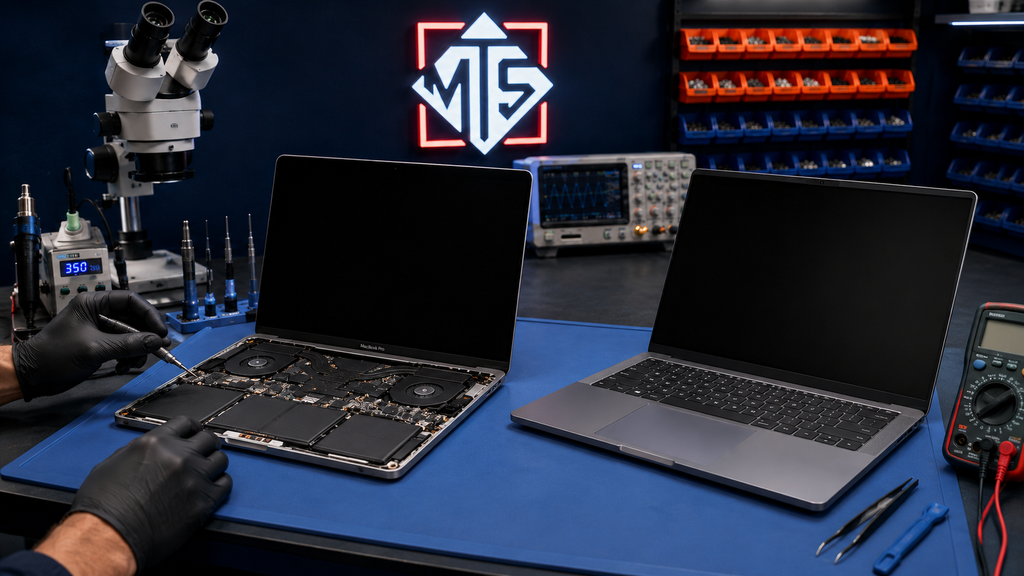
Independent repair advice from Macrotech Solutions, Carrum Downs — servicing Frankston, Cranbourne, Lyndhurst, Langwarrin, Seaford, Skye, Patterson Lakes and surrounding southeast Melbourne suburbs.
Every week someone brings us a laptop or Mac and asks the same question before we've even opened it up: "Is this even worth fixing?" It's a fair question, and the honest answer is it depends — on the fault, the age of the machine, what it costs to fix versus replace, and what's actually on the drive. This guide walks through how we think about that decision, so you can make a confident call whether you end up booking a repair with us or not.
Why This Question Is Harder Than It Looks
Repair-or-replace used to be simple: if the repair cost more than half the device's value, you replaced it. That rule still holds up reasonably well, but two things have changed. First, laptops and Macs now routinely cost $1,500–$4,000+, so even a "big" repair bill can still be the cheaper option. Second, repairability varies enormously between models — some 2026 laptops (Framework's lineup, for example) are designed to be opened and fixed, while others are effectively sealed units where a single board fault can mean the whole machine is uneconomical to repair. The right answer depends on your specific device, not a rule of thumb.
The Five-Minute Repair-or-Replace Test
Before you decide anything, work through these five questions. We ask customers the same ones during a free diagnostic.
1. How old is the device?
Under 3 years old: repair is almost always worth it, especially for a single-component fault like a screen, battery, keyboard or charging port. 3–5 years: still usually repairable, but weigh the fault against remaining useful life. Over 5–6 years: still fine for cosmetic or simple faults (battery, keyboard), but a major fault (logic board, motherboard) is a harder case to justify unless the device has sentimental or specific software value to you.
2. What's actually broken?
Not all faults are equal. A cracked screen, worn-out battery, sticky keyboard, faulty charging port or failing SSD are usually straightforward, well-priced repairs on almost any device. A dead logic board or motherboard, especially with liquid damage or a burnt component, is a bigger job — still often repairable with component-level microsoldering, but the calculation changes. This is exactly why a proper diagnostic matters before you assume the worst: what looks like "the whole board is dead" is very often a single failed component.
3. What will the repair cost — realistically?
We won't quote a number here because it genuinely depends on the model and fault — a battery replacement and a logic-board repair are not in the same league. What we will say: get an actual diagnostic quote before you write the device off. We've seen plenty of laptops assumed to be "dead" (won't turn on, won't charge, keeps restarting) turn out to be a single connector, port or power-related fault that costs a fraction of a new machine.
4. What's the device worth today?
Check current resale/replacement value for your exact model and specs, not what you originally paid. A repair that looked expensive against the original $3,000 price tag can look very different against what a comparable refurbished or current-generation replacement now costs.
5. Is your data at risk either way?
If the drive is healthy, data isn't a factor in the decision — it can be migrated to a repaired or replacement machine either way. If the fault involves the drive itself (SSD failure, water damage, a machine that won't boot), get data recovery assessed before you decide anything, since that can be time-sensitive and independent of the repair-or-replace call.
When Repair Almost Always Wins
- Single-component faults: screen, battery, keyboard/trackpad, charging port, hinge
- Device is under 3 years old
- You rely on specific software, licences or a setup that's expensive or slow to rebuild
- The device is otherwise in good condition and performs well
- Repair quote comes in well under half the current replacement cost
When Replacement Usually Makes More Sense
- Multiple faults stacking up on an older device (battery and screen and slow performance)
- Repair quote approaches or exceeds the cost of a comparable replacement
- Device can no longer run the OS updates or software you need
- Extensive liquid or physical damage across multiple components
- You were already planning to upgrade in the next 6–12 months regardless
The Repairability Factor: Not All New Devices Are Equal
If replacement is on the table, it's worth factoring repairability into the new purchase too — not just price and specs. iFixit's teardown scoring is a useful independent reference point: for example, Apple's MacBook Pro M5 scored 4 out of 10 for repairability, largely due to battery adhesive and glued-in components, while Framework's 2026 laptops are built specifically for component-level repair and upgrades. Apple's own MacBook Neo is also worth a look if repairability and longevity matter to you. A more repairable device today is a cheaper "repair" decision in three years.
A Local, Honest Starting Point: Free Diagnostics
Because so much of this decision depends on the actual fault rather than assumptions, we offer a free diagnostic at our Carrum Downs workshop for customers across Frankston, Cranbourne, Lyndhurst, Langwarrin, Seaford, Skye, Patterson Lakes and the surrounding southeast Melbourne area. We'll tell you plainly if a repair isn't worth it — we'd rather earn your trust for the next repair than talk you into one that doesn't make sense.
Repair or Replace, by Common Fault
| Fault | Usual verdict | More detail |
|---|---|---|
| Cracked or flickering screen | Repair | MacBook screen flickering / backlight guide |
| Battery "Service Recommended" or swollen | Repair (safety issue if swollen) | Battery warning guide |
| Won't turn on / won't charge | Diagnose first — often a cheap fix | Power fault diagnosis guide |
| Random shutdowns or restarts | Diagnose first | Shutdown/restart cause guide |
| Broken or loose hinge | Repair | Hinge repair guide |
| SSD failing / data at risk | Recover data first, then decide | SSD warning signs guide |
| Liquid damage | Diagnose within 24–48 hours — don't assume write-off | Liquid damage guide |
| Logic board / motherboard fault | Often repairable via microsoldering — get it assessed | MacBook logic board guide · Windows motherboard guide |
Frequently Asked Questions
Is it ever worth repairing a laptop that's 5+ years old?
Often yes, if the fault is a single component (battery, keyboard, screen) and the device still meets your needs. The exception is a major board-level fault on a device you were already planning to replace soon — in that case, put the repair budget toward the new machine instead.
How much does a laptop or MacBook diagnostic cost?
Diagnostics at Macrotech are free. We assess the fault, give you an honest verdict on repair vs. replace, and a firm quote before any work begins — no obligation to proceed.
Should I buy a new laptop or repair my current one if it won't turn on?
Get it diagnosed before deciding either way. "Won't turn on" covers everything from a flat battery or faulty charging port (inexpensive, quick fixes) through to a genuine logic-board fault. Assuming the worst without a diagnostic is the single most common reason people replace a device that could have been repaired affordably.
Is a more expensive repair ever still the right call over replacing?
Yes — if the device is otherwise in good condition, meets your current needs, and the repair cost is meaningfully below what a comparable replacement would cost, repairing usually wins even at a higher price point than a simple fix. It's about the gap between repair cost and replacement cost, not the repair cost in isolation.
What happens to my data if I decide to replace instead of repair?
If the drive is accessible, we can recover and transfer your data to the new device regardless of what you decide about the old one. If the drive itself is the problem, get data recovery looked at first — that's a separate, sometimes time-sensitive process from the repair-or-replace decision.
Not sure which way to go? Get a free, honest diagnostic.
We'll tell you straight whether it's worth repairing — no pressure, no obligation. Carrum Downs workshop, servicing Frankston, Cranbourne, Lyndhurst, Langwarrin, Seaford, Skye, Patterson Lakes and southeast Melbourne.