

Laptop or MacBook Hinge Broken, Loose or Won't Stay Up? Here's What's Actually Wrong
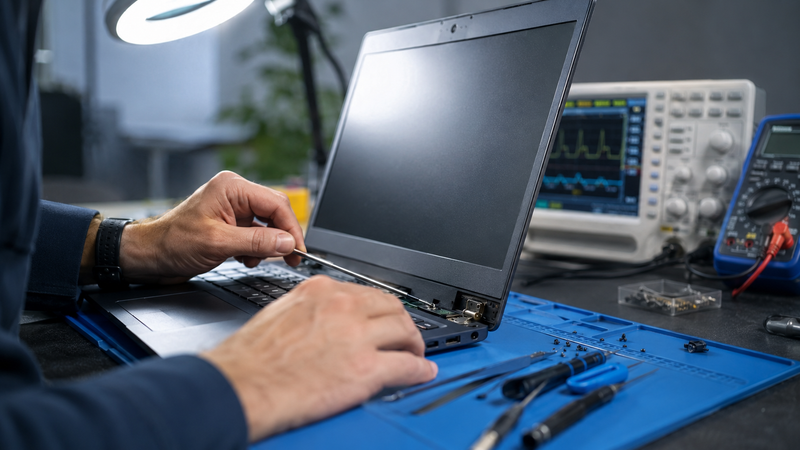
If your laptop or MacBook lid won't stay up, flops backwards, feels loose, or has started creaking and cracking near the hinge, it's tempting to just live with it. The problem is that a failing hinge rarely stays "just cosmetic" — it usually ends up taking the display cable with it. Here's what's actually going on inside the hinge, what's safe to try yourself, and what a proper repair involves.
The Warning Signs of a Failing Laptop Hinge
Hinge problems tend to show up gradually before they become an obvious, can't-ignore-it fault. The most common signs we see on the bench at Macrotech include:
- The screen won't hold its position and slowly droops forward or falls backward under its own weight
- A grinding, creaking or clicking noise when opening or closing the lid
- Visible cracking in the plastic or metal casing around the hinge, or a hinge that looks slightly twisted or misaligned
- The lid feels noticeably looser on one side than the other
- Screen flickering, a shifting image, or a coloured line that appears only when the lid is at a certain angle — this points to the display cable, not just the hinge
- Gaps appearing between the screen bezel and the body of the laptop when closed
What's Actually Causing the Problem
Worn hinge clutch mechanisms
The "clutch" is the internal friction mechanism that lets a laptop lid stay open at any angle instead of falling shut. On most Windows laptops this is a small torque hinge with an internal spring or friction disc; on MacBooks it's typically a sealed cylindrical clutch built into the display housing. Thousands of open-close cycles wear this mechanism down, and once the friction drops below the weight of the screen, the lid starts to sag or flop.
Stripped or cracked mounting points
Hinges are held to the chassis with small screws threaded into plastic bosses or, on higher-end laptops, metal inserts moulded into the case. Repeated stress, over-tightening, or being opened one-handed from a corner (rather than the centre) puts uneven force on these mounting points. Once a thread strips, the screw simply spins instead of holding — this is the single most common cause of a hinge that "was fine yesterday" and is suddenly loose today.
Display cable damage from a loose hinge
This is the part most people don't think about until it's too late. The video and backlight cable for the screen runs directly through the hinge barrel on almost every laptop design. Once a hinge is loose, the lid moves further than it's designed to, and that cable gets flexed and pinched at an angle it was never engineered for. Over time the copper traces inside the ribbon cable fatigue and break — which is why a "hinge problem" so often turns into a "no display" or "flickering screen" problem within a few weeks if it isn't addressed.
Windows Laptop vs MacBook Hinge Repair: What's Different
On most Windows laptops (Dell, HP, Lenovo, ASUS, Acer), the hinge is a discrete, replaceable part. A technician can usually swap the hinge clutch and reinforce or re-thread the mounting points without touching the screen itself, provided the display cable has survived undamaged.
On unibody MacBooks, Apple designs the hinge as an integrated part of the display assembly and the lower case — there's no simple "hinge-only" spare part in Apple's own service model, which is one reason official quotes for hinge damage can look surprisingly high. In practice, an experienced independent repairer can often address the actual fault — reinforcing a stripped mounting point, replacing just the clutch mechanism, or repairing the specific damaged section — rather than defaulting to a full display or top-case replacement, which is usually the more cost-effective path if the glass and cable are otherwise intact.
Is It Safe to Keep Using a Laptop With a Broken Hinge?
For a short period, yes — but treat it as a countdown, not a stable state. Every open-close cycle on a loose hinge increases the chance of display cable damage, and a cracked hinge housing can progress to a cracked screen bezel or even a fractured chassis if the lid is opened at an unsupported angle. If you notice any flickering, colour shift, or dead patches on the screen alongside a loose hinge, stop using the laptop in that condition and get it assessed — that combination usually means the cable is already starting to fail.
DIY Fixes vs When You Need a Professional
A few things are genuinely safe to try first:
- Tightening an accessible hinge screw once, gently, without forcing it
- Cleaning visible dust or debris out of the hinge area with compressed air
- Being deliberate about opening the lid from the centre with two hands rather than yanking one corner
Beyond that, hinge repair is a genuine hands-on job. It usually means partially disassembling the lid, which puts the display cable at direct risk if it's not done carefully, and getting the clutch tension or mounting reinforcement wrong can make the fault worse rather than better. If a screw won't hold after one attempt, or you can see cracking in the casing, that's the point to have it looked at properly rather than continuing to tighten and re-tighten a stripped mount.
What Hinge Repair Typically Costs
| Scenario | Typical industry-reported range* |
|---|---|
| Hinge clutch or mounting-point repair only | ~$100–$350 |
| Hinge repair plus display cable replacement | ~$250–$700+ |
| Hinge damage with cracked screen/bezel involved | Varies — quoted after diagnosis |
*General market ranges reported in independent repair-industry pricing guides, not a Macrotech Solutions quote. The right fix — and the price — depends on your specific laptop model and the extent of the damage, which is why we diagnose before quoting rather than pricing blind.
Why Choose Macrotech Solutions for Hinge and Screen Repairs
We're an independent repair centre based at 50 Titan Drive, Carrum Downs, servicing Frankston, Cranbourne, Lyndhurst, Langwarrin, Seaford, Skye, Patterson Lakes and the surrounding southeast Melbourne suburbs. Our technicians work on both Windows laptops and MacBooks, from straightforward hinge clutch replacements through to component-level board repair and display cable work, using proper diagnostic equipment rather than guesswork. We'll always tell you honestly whether a hinge-only repair is realistic for your model or whether a wider repair is genuinely needed — see our laptop repair services and Mac and MacBook repair services for more on what we cover. Customers further down the Peninsula can find more on our Mornington & Mount Eliza repair page.
Loose, cracked or creaking hinge?
Get a free diagnostic and fixed quote before we touch anything. Most hinge assessments are same-day.
Book a Free DiagnosticOr call 03 8759 1801 — Mon–Fri 10am–5pm, Sat 10am–2pm
Frequently Asked Questions
Can I fix a loose laptop hinge myself?
Tightening an exposed hinge screw once is usually safe, but on most laptops the screws thread into soft plastic or an internal metal insert. Once that thread strips, tightening again just spins in place and the hinge loosens faster next time. If the screw won't hold after one attempt, that's a sign the mounting point needs professional reinforcement or the hinge assembly needs replacing rather than repeated tightening.
Is a broken hinge covered under warranty?
It depends on the cause. Manufacturing defects in the hinge mechanism itself may be covered under a manufacturer's warranty or Australian Consumer Law guarantees if the laptop is relatively new. Damage from drops, forcing the lid past its designed opening angle, or carrying the laptop by the screen is typically classed as accidental damage and excluded from standard warranty cover. We're an independent repair provider, so we can advise on the likely cause but can't make a warranty determination on Apple's or another manufacturer's behalf.
Why does my MacBook screen flop backwards or fall shut on its own?
This is usually the hinge clutch losing friction, either because the internal tensioning mechanism has worn down or because the screws holding the hinge into the top or bottom case have stripped their mounting point. On unibody MacBooks the hinge is built into the display and lower case assembly rather than being a separate swappable part, so a full clutch or case repair is often needed rather than a simple screw replacement.
How much does laptop hinge repair cost?
Industry pricing guides report typical hinge-only repairs in the order of $100 to $350, rising to $250–$700+ where the display cable or screen assembly is also damaged, though these are general market figures rather than a Macrotech quote. Because the right fix depends on the laptop model, the exact damage, and whether the display cable has been affected, we provide a free diagnostic and fixed quote before any work begins.
What happens if I keep using a laptop with a broken hinge?
The main risk isn't the hinge itself getting worse (though it will) — it's the display cable that runs through the hinge. Every time the lid is forced open or closed past its normal resistance, that thin ribbon cable flexes at an odd angle. Over time this can fray or sever the cable, causing flickering, colour bands, dead sections of screen, or total display failure. A hinge repair caught early is almost always cheaper than a hinge-plus-cable-plus-screen repair caught late.
Macrotech Solutions is an independent computer repair provider and is not affiliated with, endorsed by, or sponsored by Apple, Microsoft, Dell, HP, Lenovo, ASUS, Acer, MSI, Samsung, Framework or any other device manufacturer referenced in this article. Cost ranges quoted are general industry figures for reference only, not a Macrotech Solutions price list — all repairs are individually diagnosed and quoted.