

Cracked or Damaged Laptop Screen? What Actually Determines the Repair Cost
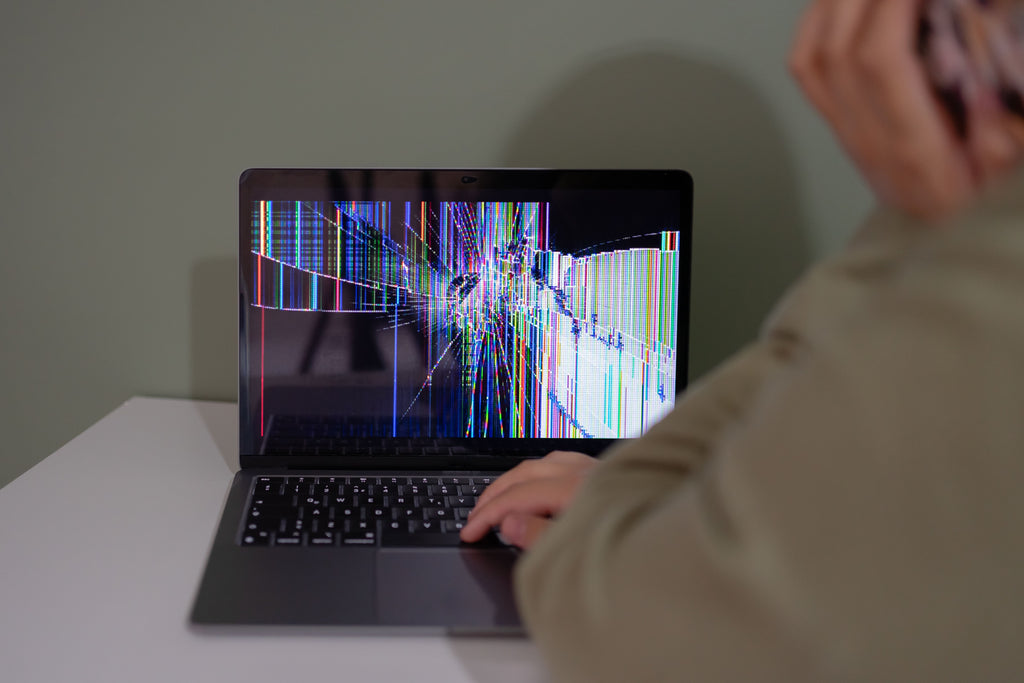
A cracked or badly damaged laptop screen is one of the most common repairs we see, and one of the hardest for customers to estimate the cost of in advance. Two laptops that look almost identical can have wildly different repair quotes, and it's rarely about the brand — it's about what's actually inside the display.
This guide explains what genuinely determines the cost of a screen repair, why MacBooks and Windows laptops aren't always priced the same way, and how to work out whether repairing is worth it compared to replacing the device.
Why Screen Replacement Cost Varies So Much
A screen repair quote isn't really pricing "a screen" — it's pricing a specific panel, for a specific model, plus the labour to fit it safely. That's why the same-looking crack can cost very different amounts on two different laptops. The panel itself is almost always the single biggest factor in the final price.
The Panel Itself Is the Biggest Factor
Standard LCD vs Touchscreen vs OLED
A standard, non-touch LCD panel is the least expensive type to source and fit. Touchscreen panels cost more because they combine a digitiser layer with the display, and if the digitiser is damaged as well as the glass, the whole assembly needs replacing rather than a single layer. OLED and high-refresh-rate gaming panels sit at the top of the cost range — industry cost guides consistently report OLED laptop panels as substantially more expensive to source than any LCD equivalent, reflecting the panel's own higher manufacturing cost and the extra care needed to fit it without damaging the fragile OLED substrate.
Why Rare or Older Models Cost More to Source
If your laptop is an older model, a less common brand, or a configuration that wasn't sold in large numbers, the replacement panel can be harder to find — and that scarcity adds to the cost. A mainstream, recent model with a widely available panel will usually be quicker and cheaper to quote than something unusual or several years old.
Worth knowing: labour is a meaningful part of the bill too. Industry cost guides commonly put labour at somewhere around 40–60% of the total repair cost, since even a straightforward panel swap involves carefully removing the bezel, disconnecting delicate display cables, and reassembling everything without damaging surrounding components.
MacBook-Specific Considerations
On MacBook models with True Tone and ambient light sensors built into the display assembly, the replacement panel needs to be handled correctly to keep that calibration working properly after the repair. This is a reasonable thing to ask about when getting a quote, since not every repair approach treats it the same way, and it's specific to Apple's design rather than something that applies to most Windows laptops.
Is It a Simple Swap or Something More Complicated?
A clean crack with no other damage, on a laptop that still opens and closes properly, is usually a straightforward panel-and-labour job. It gets more complicated when the same drop that cracked the screen has also affected the hinge, the lid frame, or in more serious cases, internal components. If the laptop was dropped hard enough to crack the screen, it's worth having it properly diagnosed rather than assuming the crack is the only issue — see our guide on hinge damage for the kind of related fault a hard drop can also cause.
Repair or Replace? Applying the 50% Rule
A useful rule of thumb, consistent with our broader repair-or-replace decision guide, is that if a repair quote comes in under roughly half the cost of a comparable replacement device, repair is usually the better financial choice — especially for a fault that's isolated to the screen rather than spread across multiple components. With new laptop and MacBook prices elevated through 2026, that comparison increasingly favours repair for a device that's otherwise working well.
How Macrotech Quotes a Screen Repair
We don't quote screen repairs sight unseen. Because the exact panel, its availability, and any secondary damage all affect the price, we assess the laptop or MacBook first and give you an honest, specific quote rather than a generic estimate. As an independent repair centre, we service MacBook, iMac, Mac mini and Windows laptops from all major brands, and we're not affiliated with Apple, Microsoft or any device manufacturer.
If you're in Carrum Downs, Frankston, Cranbourne, Lyndhurst, Langwarrin, Seaford, Skye, Patterson Lakes or nearby southeast Melbourne suburbs, bring your laptop or Mac in for a diagnostic and we'll tell you exactly what's involved.
Cracked screen? Get a real quote, not a guess.
Book a diagnostic and we'll assess the panel, check for hidden damage, and give you an honest repair-or-replace recommendation.
Book a DiagnosticFrequently Asked Questions
Why do laptop screen repair quotes vary so much between shops?
Mainly because the panel itself is the biggest cost driver, and quotes depend on what panel your specific model uses, how easy it is to source, and whether it's a simple panel swap or a more complex assembly. Two laptops that look similar on the outside can have very different screen technology inside.
Is it cheaper to fix a cracked screen or buy a new laptop?
For most laptops and MacBooks where the screen is the only fault, repair is usually the cheaper option, especially with new-device prices elevated in 2026. A simple rule of thumb is that if the repair quote is under about half the cost of a comparable replacement, repair is generally worth it — though every device is different.
Does a cracked screen always mean the whole panel needs replacing?
Almost always, yes, if the glass or display itself is physically cracked. Unlike a phone, most laptop and MacBook screens don't separate the glass from the display panel underneath, so a crack typically means the full panel assembly needs replacing rather than just a glass layer.
Can you fix a MacBook screen without affecting True Tone?
On models where True Tone and ambient light sensors are calibrated to the original display, a replacement panel needs proper handling to keep that feature working correctly. This is something to ask about when getting a quote, since not every repair approach preserves it the same way.
What if my laptop was dropped and the screen and hinge are both damaged?
That needs a proper diagnostic rather than a screen-only quote. A drop that cracks the screen can also damage the hinge, the lid frame, or in more serious cases the logic board or motherboard underneath, and those faults need to be identified before a final price can be given.
Independence disclaimer: Macrotech Solutions is an independent repair centre and is not affiliated with Apple, Microsoft, or any device manufacturer. All product names and trademarks belong to their respective owners. Cost ranges referenced in this article reflect general industry reporting, not Macrotech pricing — contact us for a specific quote after diagnosis.
Related Macrotech guides: Repair or Replace? Decision Guide · MacBook screen flickering or backlight issues · Laptop or MacBook hinge damage · Why laptops and MacBooks cost more in 2026