

Swollen Laptop Battery? Why Windows Laptops Need the Same Warning You'd Give a MacBook
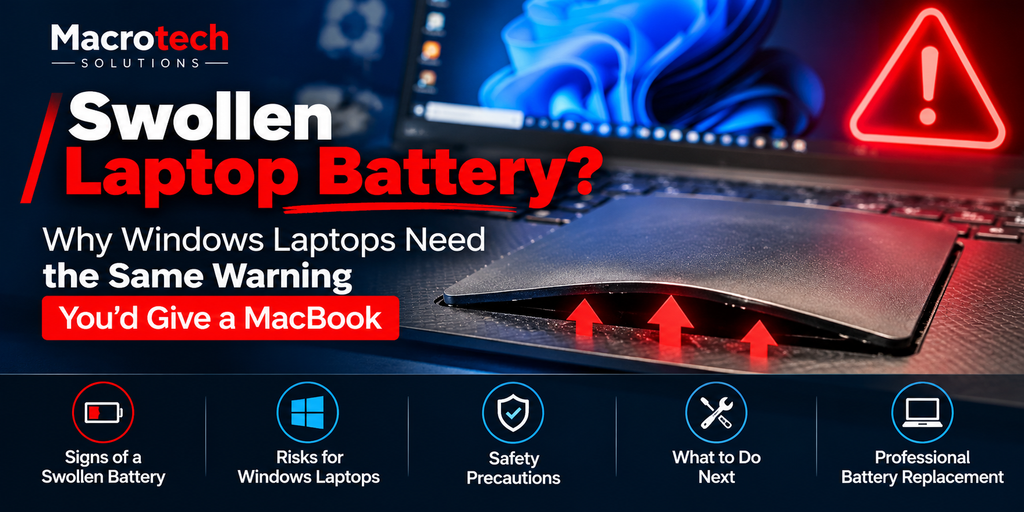
If you've noticed your laptop's trackpad no longer clicks evenly, or the case doesn't sit flat on the desk the way it used to, it's worth checking underneath before you ignore it. A swollen battery is one of the more common — and more overlooked — hardware faults we see, and it isn't limited to MacBooks. Dell, HP, Lenovo, ASUS and Acer laptops use the same lithium-polymer battery technology, and the same ageing process that causes a MacBook battery to swell applies just as much to a Windows laptop.
This guide covers what actually causes a laptop battery to swell, the warning signs to check for, the safety steps manufacturers recommend, and why it's not a job to tackle yourself.
What Causes a Lithium-Polymer Battery to Swell
Laptop batteries are built from lithium-polymer pouch cells — a flexible foil pouch rather than a rigid metal case. As these cells age and go through repeated charge cycles, the chemical compounds inside can start to break down, and one of the by-products of that breakdown is gas. Because the pouch is sealed, that gas has nowhere to go, so the cell expands. This is a normal, well-documented ageing failure mode of lithium-polymer chemistry itself — it isn't a manufacturing defect specific to Apple, Dell, HP, Lenovo, ASUS or any other single brand. Heat, age and a high number of charge cycles all make it more likely over time.
Visible Warning Signs
- The trackpad no longer clicks evenly, feels raised on one side, or has visibly lifted.
- The laptop's case or keyboard deck no longer sits flat on a desk — it rocks or has a slight dome shape.
- You can see a visible bulge or gap at the seam where the top and bottom case panels meet.
- The battery indicator or diagnostics tool reports unusually poor health or a sudden drop in capacity.
- In more advanced cases, the keyboard keys feel like they're being pushed up from underneath.
If you notice any of these, it's worth acting straight away rather than waiting to see if it gets worse — swelling batteries don't resolve themselves and typically continue to expand over time.
Immediate Safety Steps
Dell's own official guidance on swollen batteries recommends the following as soon as swelling is noticed:
- Stop using the laptop immediately.
- Power it off and unplug the charger — don't keep charging it.
- Don't attempt to puncture, bend, or force the case flat.
- Keep it away from heat sources and flammable materials.
- Arrange for professional assessment and removal rather than continuing to use the device.
Why Removing It Yourself Isn't Recommended
A swollen pouch cell is under internal pressure and more fragile than a healthy battery. Puncturing or damaging it during removal carries a real fire risk, and safe extraction generally needs the case opened carefully, the correct tools, and — particularly in thin, adhesive-sealed laptops and MacBooks — specific technique to avoid flexing or piercing the pouch. iFixit's own community guidance on swollen batteries echoes the same caution: handle as little as possible, avoid pressure on the cell, and prioritise safe disposal over trying to salvage or reuse it. Once removed, a swollen lithium-ion battery also needs to be disposed of correctly rather than put in general rubbish, per standard battery recycling and hazardous-waste handling practice.
Worth knowing: a swollen battery pressing against the trackpad, keyboard deck or case over time can also cause secondary damage to those components — another reason to get it assessed sooner rather than later.
How Macrotech Assesses and Replaces a Swollen Battery
At our Carrum Downs workshop, assessing a suspected swollen battery starts with a safe visual and diagnostic check before the case is opened. If swelling is confirmed, we carefully remove the affected battery, dispose of it correctly, and fit a replacement suited to your specific laptop model. As an independent repair centre, we service Windows laptops from Dell, HP, Lenovo, ASUS, Acer, MSI and other major brands, as well as MacBook, iMac and Mac mini — and we're not affiliated with Apple, Microsoft, or any device manufacturer.
If you're in Carrum Downs, Frankston, Cranbourne, Lyndhurst, Langwarrin, Seaford, Skye, Patterson Lakes or nearby southeast Melbourne suburbs and you've noticed any of the warning signs above, get it looked at before it's used any further.
Noticed a lifted trackpad or a case that won't sit flat?
Book a battery safety assessment at our Carrum Downs workshop — for Windows laptops and MacBooks alike.
Book an AssessmentFrequently Asked Questions
What causes a laptop battery to swell?
Laptop batteries use lithium-polymer pouch cells. As these cells age, internal chemical breakdown can release gas inside the sealed pouch, causing it to expand. This is a known failure mode of the battery chemistry itself, not a manufacturing defect unique to one brand — it can happen in MacBooks, Dell, HP, Lenovo, ASUS, Acer and other Windows laptops alike.
Is a swollen laptop battery dangerous?
It can be. A swollen battery is under internal pressure, and puncturing or damaging the pouch carries a fire risk. Manufacturers including Dell advise stopping use immediately, not charging it further, and not attempting to puncture, bend or force it flat.
Can I still use my laptop if the battery is swollen?
No — official guidance from manufacturers like Dell recommends powering the device off and discontinuing use as soon as swelling is noticed, rather than continuing to use or charge it.
Can I remove a swollen battery myself?
It isn't recommended. A swollen pouch cell is fragile and under pressure, and safe removal needs the right tools and handling to avoid puncturing it. This is a job for someone equipped to handle and dispose of lithium-ion batteries safely.
Do you replace batteries in Windows laptops from any brand?
Yes. As an independent repair centre we replace batteries in Windows laptops from Dell, HP, Lenovo, ASUS, Acer, MSI and other major brands, as well as MacBooks.
Independence disclaimer: Macrotech Solutions is an independent repair centre and is not affiliated with Apple, Microsoft, or any device manufacturer. All product names and trademarks belong to their respective owners.
Related Macrotech guides: MacBook Battery Warning: What "Service Recommended" Really Means · Laptop Charging Basics · Repair or Replace? A Practical Decision Guide · Why Is Your Windows Laptop Running Slow?