

Summer Heat and Your Laptop: Hot Cars, Batteries and Heat Shutdowns
Macrotech Solutions is an independent repair centre and is not affiliated with Apple, Microsoft or any device manufacturer.
Summer in southeast Melbourne can swing from mild to 40 °C in a day, and laptops feel it. The Bureau of Meteorology's long-range outlook issued on 1 October 2026 gave most of Victoria a high chance (over 80%) of unusually warm days through to January. Heat won't usually kill a laptop on its own, but it speeds up battery wear, makes fans and cooling work harder, and turns small problems into shutdowns.
Here's what to avoid, and what to watch for.
How hot is too hot?
Apple says Mac laptops are designed to run in an ambient (room) temperature of 10 °C to 35 °C (Apple Support, 2 April 2026). Windows laptop makers publish similar ranges in their spec sheets. On a 38-degree afternoon in an un-air-conditioned room, you're already outside that range before the laptop starts generating its own heat.
When a laptop gets too hot, it protects itself. It slows the processor (throttling), runs the fans flat out, may stop charging the battery for a while, and in the end shuts down. That's the laptop doing its job, but it's a sign to cool things down.
Never leave a laptop in a parked car
This is the big one. Apple says plainly not to leave your Mac in a car, because temperatures in parked cars can exceed its safe range. Energy Safe Victoria gives the same advice for any lithium-ion battery device: don't leave it in hot places such as a parked car.
- Take the laptop with you, even for a quick stop at the shops.
- If you really can't, keep it out of direct sun and out of the boot on hot days, and never leave it charging in the car.
- If it has been baking in a car, let it cool to room temperature before turning it on or charging it.
What heat does to the battery
Lithium-ion batteries age faster when they're kept hot, and faster again when they're hot and fully charged. Over a summer that can show up as shorter battery life and a battery-health figure that drops sooner than expected.
More seriously, a battery that's already worn or damaged can start to swell. Watch for:
- a trackpad that stops clicking properly or feels raised
- a keyboard that bulges, or a base that rocks on a flat table
- a gap opening between the case halves
- a sweet or chemical smell
If you see any of these, stop using and charging it and get it checked. Don't press the case back together. See our guides to MacBook battery warnings and swelling and Windows laptop battery swelling. If there's any burning smell, read what to do first.
Heat shutdowns: dust makes summer worse
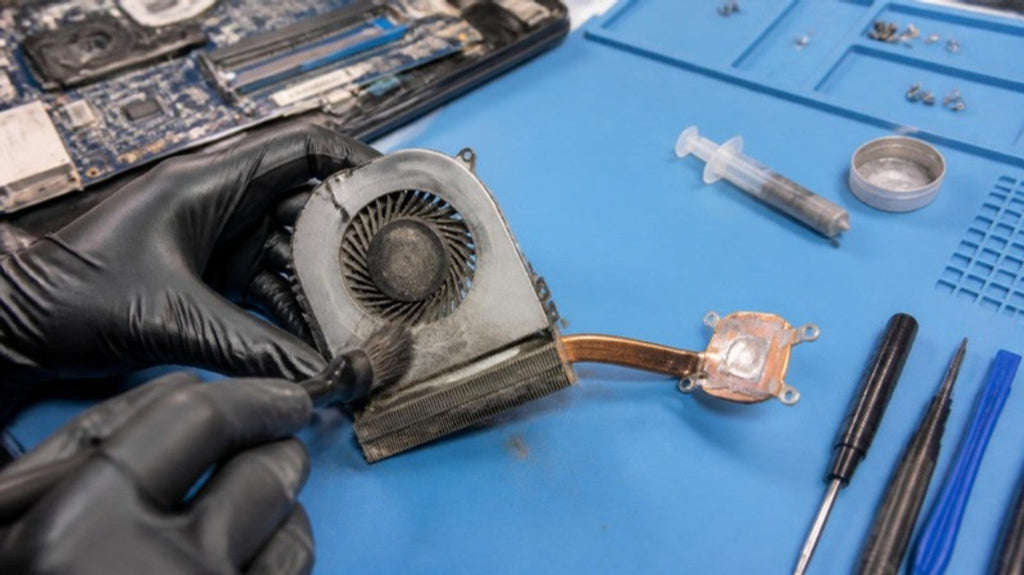
A laptop that copes in winter can start shutting down in summer because its cooling is half-blocked with dust and lint. The fan runs louder, the heat can't escape, and on a hot day it tips over the edge. If your laptop is loud, hot to the touch near the vents, or switching off during video calls or games, it probably needs a clean. Our articles on overheating and shutdowns and getting a laptop ready for the hot months cover this in detail.
Summer habits that help
- Use it on a hard, flat surface. Beds, couches and doonas block the vents and trap heat.
- Charge in a cool spot, on a hard, non-flammable surface, and unplug once it's charged. Energy Safe Victoria also advises against charging in bedrooms or anywhere that could block your way out.
- Keep it out of direct sun, including on the dashboard, beside a window or on the beach.
- Let it cool before charging after it has been somewhere hot.
- Close heavy apps you're not using on very hot days, so the fan doesn't have to work as hard.
- Use the manufacturer's charger, or one it recommends. Cheap chargers run hotter.
- Back up before summer. Heat stresses ageing drives and batteries, and a backup is the only real protection for your files.
After a heat event: when to get it checked
Book it in if, after cooling down, the laptop:
- won't turn on, or won't charge
- keeps shutting down even in a cool room
- shows any swelling, or the battery health has dropped sharply
- smells hot or burnt
- has a fan that's grinding, clicking or not spinning
We'll check the battery, charger and cooling system, and test the motherboard or logic board if it won't power on.
Laptop and MacBook checks in Carrum Downs
Macrotech Solutions services MacBooks and Windows laptops at 50 Titan Drive, Carrum Downs, for customers from Frankston, Cranbourne, Seaford, Langwarrin, Skye, Lyndhurst, Patterson Lakes and across southeast Melbourne. We clean fans and heatsinks, replace worn and swollen batteries, and repair heat-damaged boards. If a battery is visibly swollen, call us first on 03 8759 1801 so we can advise on transporting it safely. A $50 diagnostic fee applies to hardware-related diagnosis and is credited toward the repair if you proceed.
See our laptop repairs and Mac repairs pages or book online. We're open Monday–Friday 10 am–5 pm and Saturday 10 am–2 pm.
FAQs
Is it OK to leave my laptop in the car for a short time?
On a hot day, no. Car interiors heat up quickly and can exceed the safe range Apple gives for its laptops. Take it with you.
My laptop was left in a hot car. What should I do?
Bring it inside and let it cool to room temperature before turning it on or charging it. If it won't start, won't charge, or shows any swelling, stop and get it checked.
What temperature is safe for a MacBook?
Apple says Mac laptops are designed to operate in ambient temperatures between 10 °C and 35 °C.
Why does my laptop shut down on hot days?
Usually because it can't get rid of heat fast enough, often because of dust in the fan and heatsink. A clean usually fixes it. If it keeps happening in a cool room, there may be a fan, battery or board fault.
Does heat damage laptop batteries?
Heat speeds up battery ageing, especially when the battery is also fully charged. A battery that's already worn can swell, so stop using it if you notice bulging.
Macrotech Solutions is an independent repair centre and is not affiliated with Apple, Microsoft or any device manufacturer. Product names are used only to identify the devices we repair. If a device is smoking or on fire, call 000 – don't bring it to us. A fixed $50 diagnostic fee applies to hardware-related diagnosis and is credited toward the repair cost if you proceed.