

Computer or Laptop Dead After a Storm or Power Surge? What to Check First
Macrotech Solutions is an independent repair centre and is not affiliated with Apple, Microsoft or any device manufacturer.
The lights flickered, the power dropped out, and now your laptop won't charge or your desktop won't start. Storm season in southeast Melbourne brings these calls every year. The good news is that a computer that seems dead after a surge often isn't a lost cause. In many cases the damage is limited to the charger, the power supply or a small protection part on the board, and your files are usually still intact.
This guide covers what to check safely at home, what to avoid, which parts usually fail, and how surge claims work in Victoria.
What a power surge actually does to a computer
A power surge is a brief rise in voltage above what your equipment is designed to handle. Ausgrid notes that surges can be triggered by many events, including storms and lightning strikes. Surges can also happen when power is restored after an outage.
Computers aren't fed straight from the wall. A laptop runs from its charger, and a desktop runs from its internal power supply (PSU). These parts take the first hit, and they often fail first, which can protect what's behind them. Some surges get past them, however, and damage the circuitry where power enters the motherboard or logic board.
First, make it safe
Before you test anything, follow Energy Safe Victoria's storm advice:
- If your switchboard, wiring or power points look damaged, don't touch them. Call a licensed electrician.
- Before power is restored, unplug or switch off appliances, then test your safety switch (RCD). It should trip immediately when you press the test button.
- If you get a tingle from an appliance or tap, contact your electricity distributor and have a licensed electrical contractor check the wiring.
If the device smells of burning, is hot, has swollen or is making noise, unplug it, move it away from anything flammable and stop using it. Our burning-smell guide explains what to do next.
Safe checks you can do at home
Laptops and MacBooks
- Try a different power outlet, plugged straight into the wall rather than a power board that may have tripped or failed.
- Try another known-good charger and cable of the correct type and wattage. Chargers are the most common casualty. Apple's own "Mac doesn't turn on" steps also start with checking the cable and adapter and trying another one.
- Unplug every accessory, including docks, hubs, drives and monitors.
- Hold the power button for about 10 seconds, then press it normally. On a Mac laptop with Touch ID, hold the Touch ID button.
- Leave it on charge for 30 minutes with the known-good charger. If the battery was flat when the power went out, it may need time before it shows any sign of life.
Desktop PCs and iMacs
- Check the power board and wall outlet with something simple, such as a lamp.
- Try a different kettle-style power cable.
- On a PC, check that the PSU switch on the back is on.
- Disconnect everything except the power cable, monitor and keyboard, then try again.
If a desktop shows lights or fans but no picture, see our no-display/no-POST guide. If it shows no sign of life at all, our PSU or motherboard guide explains the difference. For MacBooks, see MacBook won't turn on.
What not to do
- Don't keep plugging it in over and over if you smelt burning or saw a spark. A shorted component can get hotter each time.
- Don't try "universal" or unknown chargers to see if they work. Using the wrong voltage on a damaged board can make things worse.
- Don't open a desktop PSU. Its capacitors can hold a dangerous charge even when unplugged.
- Don't throw the damaged charger or device away if you might make a claim. EWOV says to keep damaged equipment and all documentation until the process is finished.
- Don't run data-recovery software on a drive that's clicking or overheating. Turn it off and get advice first.
Signs the damage is inside (and what usually fails)
If a known-good charger, outlet and cable change nothing, the fault is probably inside the device. From the bench, surge damage usually falls into three groups.
The charger or power supply
The cheapest and most common outcome. The laptop charger's LED is dead or flickering, or a desktop PSU won't start. A replacement charger or PSU, tested properly, may be all that's needed. On USB-C laptops, a damaged charger can also stall at a low charging level. Our USB-C charger and cable damage guide covers this.
The protection circuit at the power input
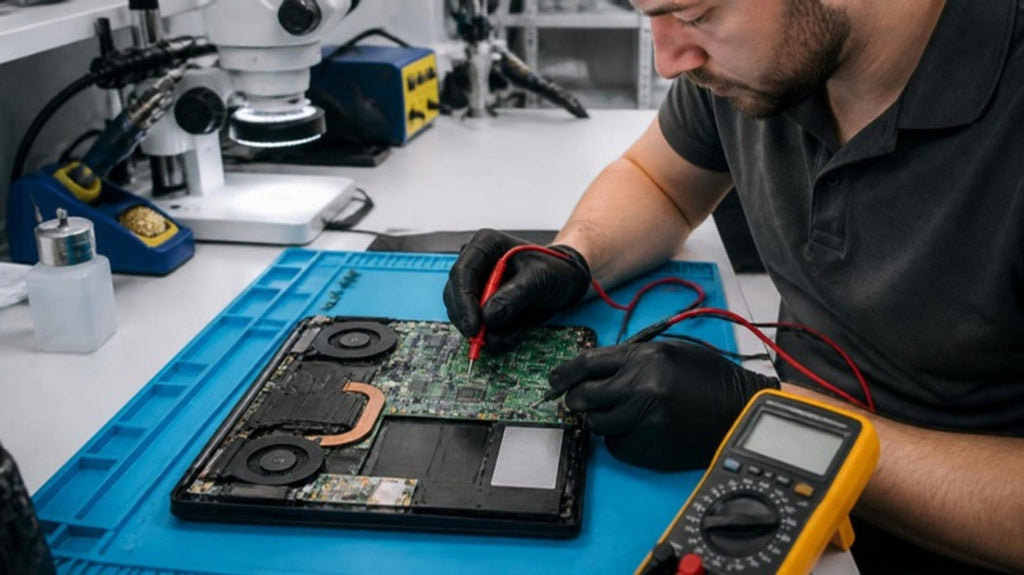
Many laptop and desktop boards have parts at the power input that are designed to fail first: fuses, protection diodes and switching MOSFETs. When one fails "short", the board may draw current but never start, or the charger may cut out the moment it's plugged in. These are typical component-level repairs. A technician measures the power rail's resistance to ground, then injects a small, controlled voltage and uses a thermal camera or freeze spray to find the part that heats up. These are the same methods described in repair.wiki's guide to finding short circuits. Replacing a single shorted part is often far cheaper than replacing the whole board.
Deeper motherboard or logic-board damage
Sometimes the surge gets past the input protection and damages charging chips, power controllers or, less often, the main processor area. These repairs need microsoldering and are assessed case by case. Not every board is economical to fix, and we'll tell you honestly when it isn't. Our no-power and short-circuit guide and motherboard repair guide go into more detail.
A surge can also arrive through other cables connected to the computer, such as a network cable from the modem. If only the Ethernet port or one USB port stopped working, mention it when you book. It's a useful clue.
Your files: what happens to the data?
Surges rarely wipe data on their own. In most cases the storage survives even when the device won't power on.
- Desktops and older laptops with a removable SSD or hard drive: the drive can often be connected to another computer and copied.
- Most modern MacBooks and many thin Windows laptops have storage soldered to the board, and data may be encrypted to that board. Getting the board working again, even temporarily, is often the only way to recover the files. This is one reason board-level repair matters. See how professional data recovery works and MacBook SSD failure and data recovery.
If the files matter more than the computer, tell us at booking so we can prioritise data first. See our data recovery service.
Claiming for surge damage in Victoria
According to the Energy and Water Ombudsman Victoria (EWOV) fact sheet (updated 1 September 2026):
- Claims for damage caused by a voltage variation or power surge go to your electricity distributor, not your retailer. Your distributor is shown on your bill, or you can call 136 186 to find out.
- You'll usually need to show the damage happened and link it to the distributor's network. The distributor may ask for proof that an electrical event caused it, and an expert may need to inspect the items.
- Any compensation is generally "old-for-old" (current market value), and the distributor may choose to repair instead. EWOV notes that insurance may pay more if your policy is new-for-old.
- Keep the damaged items and paperwork. If you can't resolve it with the distributor, contact EWOV on 1800 500 509.
The Victorian Government's power outages page also recommends recording and photographing damage for possible insurance claims. Check your home-contents policy too, since many insurers treat surge damage separately.
If you plan to claim, ask us when you book whether a written diagnostic summary is available for your repair. It should say what failed and what we found. We can't tell you whether a claim will succeed, because the distributor or insurer decides that.
How to protect your computer this storm season
- Use a quality surge-protected power board, and replace it after a major surge event, because the protection parts wear out.
- When a severe thunderstorm is forecast, unplug chargers and desktops. Ausgrid and Energy Safe Victoria both recommend unplugging appliances during storms and before power is restored.
- Unplug the network cable from your desktop during storms if you can.
- Back up to an external drive or cloud service before storm season. It's the only real protection for your files.
- For desktops, consider a UPS (uninterruptible power supply) with surge protection.
Getting it checked in Carrum Downs
Macrotech Solutions diagnoses and repairs MacBooks, iMacs, Mac minis, Windows laptops and desktops at our workshop at 50 Titan Drive, Carrum Downs. We see customers from Frankston, Cranbourne and Lyndhurst, Seaford, Langwarrin and Skye, Patterson Lakes and across southeast Melbourne. We test chargers and power supplies, measure the board's power rails, find shorted components under the microscope, and recover data when the board can't be saved. A $50 diagnostic fee applies to hardware-related diagnosis and is credited toward the repair if you proceed.
See our laptop repairs, Mac repairs and computer repairs pages, book online, or call 03 8759 1801. We're open Monday–Friday 10 am–5 pm and Saturday 10 am–2 pm. Bring the charger or power cable too, because it's part of the diagnosis.
FAQs
Can a power surge damage a laptop that was only charging?
Yes. The charger usually takes the hit first, but a surge can pass through it and damage the laptop's power-input circuitry.
My laptop won't turn on after a power outage, but there was no storm. Is it a surge?
Not necessarily. A flat battery, a tripped power board or a failed charger are common. Try a known-good charger and leave it on charge for 30 minutes before assuming board damage.
Will I lose my files?
Usually not. Surges rarely erase data. On laptops with soldered storage, the board may need repairing before the files can be recovered.
Who do I claim from in Victoria?
Your electricity distributor (shown on your bill), not your retailer, according to EWOV. Your home-contents insurer may also cover it, so check your policy.
Do surge-protected power boards actually work?
They help with many everyday surges, but they can't stop a direct lightning strike, and their protection wears out over time. Unplugging during severe storms is still the safest option.
Is it worth repairing a surge-damaged motherboard?
Often, yes, especially when only an input fuse, diode or MOSFET has failed. We'll quote after diagnosis and tell you if replacement makes more sense.
Macrotech Solutions is an independent repair centre and is not affiliated with Apple, Microsoft, Dell, HP, Lenovo or any other manufacturer. Product names are used only to identify the devices we repair. Electrical wiring and switchboard faults must be handled by a licensed electrician. A fixed $50 diagnostic fee applies to hardware-related diagnosis and is credited toward the repair cost if you proceed.