

Why a Failed MacBook SSD Isn't a Simple Swap — And What Data Recovery Actually Involves
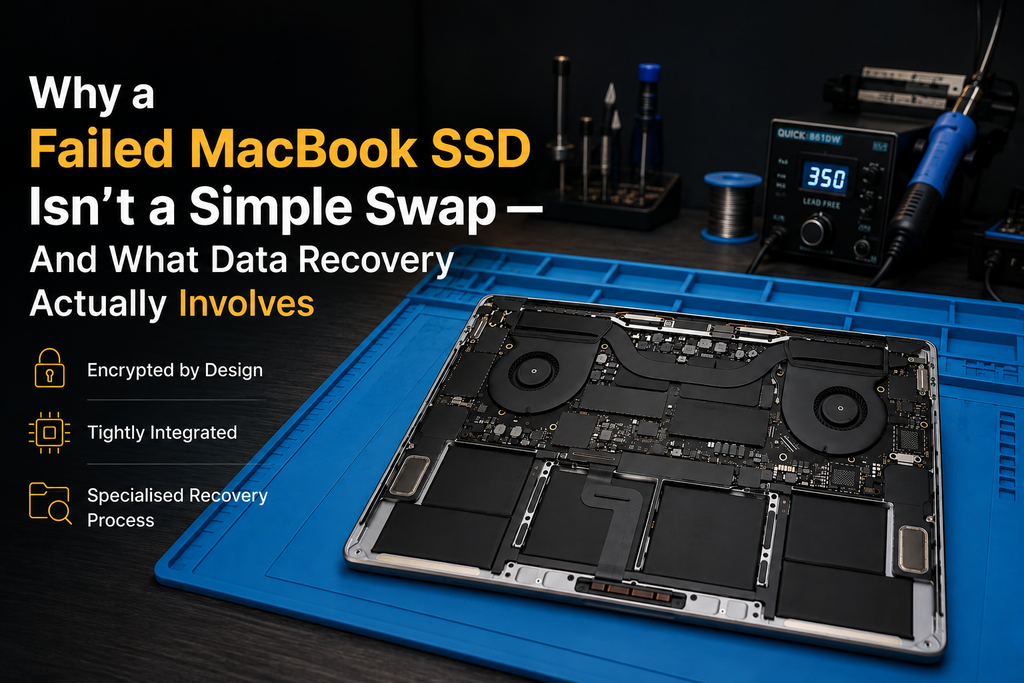
Apple · MacBook · Data Recovery
If a Windows laptop's SSD fails, the fix is usually straightforward: pull out the old drive, slot in a new one, reinstall Windows, done. A lot of people assume the same applies to a MacBook that suddenly won't boot. It doesn't — and understanding why changes what you should expect from diagnosis, repair, and getting your files back.
Why "just replace the SSD" doesn't work on most modern MacBooks
On older MacBooks (roughly pre-2016) and on the vast majority of Windows laptops, the storage drive is a physically separate, removable component — a small stick of hardware that plugs into a socket on the logic board. If it fails, a technician removes it and fits a replacement.
Apple moved away from that design with the unibody Retina-era MacBooks and cemented the change with the T2 security chip and, later, Apple Silicon. On these models, the storage chips are soldered directly onto the logic board alongside the processor, memory, and everything else. There's no drive to "pull out" — the storage is part of the board itself.
What this means in practice
When storage-related symptoms show up on a modern MacBook — the machine won't boot, macOS can't find a startup disk, or Disk Utility can't see an internal drive at all — the fix isn't a five-minute part swap. It requires board-level diagnosis to work out exactly what's failed, and if a repair is possible, it typically involves component-level microsoldering equipment rather than a simple connector.
What actually causes MacBook storage failure
A handful of situations account for most of what we see:
- Liquid damage causing corrosion or a short on or near the storage chips.
- A power-delivery fault elsewhere on the board that prevents the storage from being detected, even though the chips themselves are undamaged.
- Genuine wear on the NAND flash memory itself after years of use — less common on modern MacBooks than on ageing Windows laptops, but not impossible.
- A drop or physical shock that damages a solder joint or nearby component.
- Software-level corruption that looks like a hardware fault but isn't — the drive and board are fine, but the data structure on the drive itself is damaged.
Each of these has a different outcome for repairability and data recovery, which is exactly why a proper diagnostic — not a guess — has to come first.
What happens when we diagnose a Mac with a suspected storage fault
A $50 diagnostic fee applies to hardware-related diagnosis. If you proceed with the repair, this fee is waived; if the device isn't worth repairing or you choose not to proceed, the $50 diagnostic fee applies. The process itself typically involves checking power delivery to the storage chips, confirming whether the chips themselves are being detected by the board at all, and identifying whether the fault sits on the storage itself or elsewhere on the logic board. This is what determines everything that follows — whether the machine can be repaired, and separately, whether the data on it can realistically be recovered.
Is data recovery possible if the storage chips themselves have failed?
It depends on the nature of the failure, and this is worth being honest about rather than promising a guaranteed outcome:
| Situation | Data recovery outlook |
|---|---|
| Fault elsewhere on the board (power, a connector, an unrelated chip); storage chips undamaged | Often the best-case scenario — once the board fault is repaired, the original data may still be intact and accessible. |
| Software-level corruption; hardware is fine | Frequently recoverable using standard data-recovery techniques, since the physical storage isn't damaged. |
| Physical damage or corrosion directly on the storage chips (e.g. from liquid ingress) | More serious. Outcome depends on the extent of the damage — sometimes still recoverable with specialist chip-level work, sometimes not. |
| Severe, prolonged liquid exposure or extensive corrosion | The least favourable scenario. Recovery becomes progressively less likely the longer corrosion has been active. |
We won't quote a success rate here, because it genuinely depends on the individual machine and fault — anyone who promises a guaranteed recovery outcome before actually examining the device isn't giving you an honest answer.
Windows laptop SSD failure: a different, usually simpler story
This is one of the clearest practical differences between the two platforms we work on. Most Windows laptops — including the majority of business and consumer models from Dell, HP, Lenovo, ASUS, Acer and others — still use a removable M.2 NVMe SSD rather than soldered storage. When one of these drives fails, the repair is often genuinely straightforward: confirm the drive has failed (rather than a different fault causing similar symptoms), fit a compatible replacement, and reinstall Windows. It's a meaningfully faster and more affordable job than board-level MacBook storage work, precisely because the drive is a separate, swappable part rather than something fused to the board. (A small number of ultra-thin Windows laptops now use soldered storage too, which is why we still diagnose each machine individually rather than assuming.)
When it becomes a logic board repair rather than "just a drive"
If diagnosis shows the fault sits on the storage chips themselves, or elsewhere on the board that's affecting the storage, the job shifts from a simple part replacement to genuine logic-board repair — the kind of component-level work we've covered in more detail in our guide to MacBook logic board failure signs and repair. It's a more involved job than a drive swap, and realistically takes longer and costs more — which is exactly why getting an accurate diagnosis before assuming the worst (or the simplest) outcome matters.
What to do if your MacBook suddenly won't boot
- Stop repeatedly restarting or force-rebooting — this can make a marginal situation worse.
- Avoid running consumer data-recovery software on a Mac that won't boot at all; that class of tool generally needs a working, bootable machine to run from.
- Don't attempt to open the machine or reseat components yourself — modern MacBooks have no user-serviceable storage to reseat, and doing so risks further damage.
- Get a proper diagnostic before assuming either "it's definitely dead" or "it's definitely fine" — both guesses are common, and both are often wrong.
Local relevance for Carrum Downs and southeast Melbourne
We see this exact scenario regularly at our Carrum Downs workshop — a MacBook that suddenly won't start, with the owner unsure whether it's a simple fix, a total loss, or somewhere in between. Because we work on both Apple and Windows hardware, including logic-board and component-level repair, we can give you a straight answer on repairability and data-recovery prospects rather than sending you elsewhere for half the diagnosis. This applies just as much to customers from Frankston, Cranbourne, Lyndhurst, Langwarrin, Seaford, Skye and Patterson Lakes.
How Macrotech helps
We diagnose the actual fault first — board-level for MacBooks, drive-level for most Windows laptops — before recommending anything. If data recovery is genuinely possible, we'll tell you what that involves and what it doesn't guarantee. If a straightforward drive swap is all that's needed, we won't talk you into anything more involved than that.
Frequently asked questions
Can I just replace the SSD in my MacBook like a Windows laptop?
Usually not. Since around 2016, Apple has soldered storage chips directly onto the logic board on most MacBook models instead of using a removable drive. A faulty Windows laptop SSD is typically a plug-in M.2 module that can be swapped in minutes. A faulty MacBook storage chip is a board-level component that has to be assessed and, if repairable, worked on at the chip level.
Is my data definitely gone if my MacBook won't boot?
Not necessarily. Whether data can be recovered depends heavily on what actually failed — a logic-board fault elsewhere on the board (power delivery, a connector, a different chip) can leave the storage itself completely intact, while damage to the storage chips themselves is more serious. A proper diagnostic is the only way to know which situation applies before assuming the worst.
How is this different from a normal SSD failure warning?
A drive showing early warning signs — slow performance, apps failing to open, occasional freezes — is a very different situation to a Mac that won't boot at all. If you're seeing early symptoms, our guide to SSD warning signs covers what to check before it gets to this point.
Should I try data recovery software myself first?
If the Mac still boots and the drive is simply reporting errors, cautious use of recovery software can be reasonable — but if the machine won't power on, won't boot, or is showing unusual behaviour, further attempts (including repeated restarts or third-party software) can reduce the chances of a clean recovery. It's safest to stop using the machine and get it assessed.
Does this apply to Windows laptops too?
Windows laptops occasionally use soldered storage on some ultra-thin models, but the large majority still use a removable M.2 NVMe SSD, which is why a failed drive on a Windows machine is usually a straightforward, comparatively affordable swap. We diagnose each machine individually rather than assuming either way.
Related Macrotech content & services
SSD warning signs — is your drive about to fail? · MacBook logic board failure signs & repair · MacBook won't turn on: power fault diagnosis · Windows laptop motherboard failure & repair · Mac repairs Carrum Downs · Laptop repairs Carrum Downs
MacBook won't boot, or a Windows laptop drive playing up?
Book a diagnostic and we'll tell you plainly what's actually wrong, what it will take to fix, and whether your data is realistically recoverable — before any repair goes ahead.
Book a Service Call (03) 8759 1801Macrotech Solutions is an independent computer repair service and is not affiliated with, endorsed by, or sponsored by Apple Inc. or Microsoft Corporation. Data recovery outcomes vary by individual device and fault and cannot be guaranteed in advance. "MacBook" and "SSD" architecture details reflect Apple's publicly documented hardware design changes since 2016; independent repair technicians rely on component-level trade knowledge that is separate from official Apple documentation.