

macOS Tahoe 26.6.1: Apple's Emergency Security Fix, Explained
- Fans running loud and constant even when the Mac is idle
- The Mac noticeably hot to the touch during light use
- High CPU usage in Activity Monitor from an unfamiliar process
- Battery draining much faster than usual
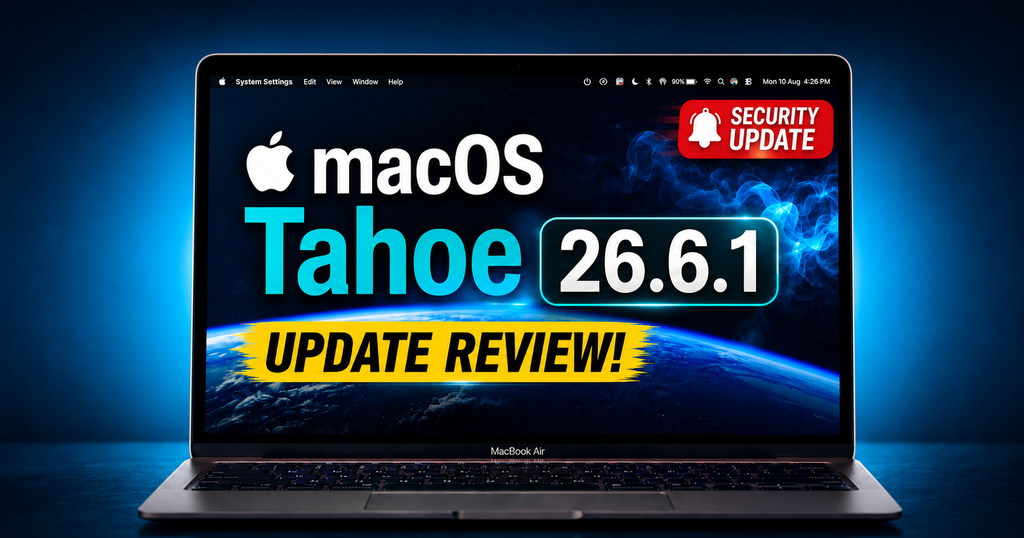
Apple released macOS Tahoe 26.6.1 on 6 August 2026 — just ten days after the last update, Tahoe 26.6, on 27 July. That kind of quick-turnaround release is unusual for Apple, and it's worth paying attention to why: this one exists to fix a single, specific security flaw in Screen Sharing, and it shipped with no beta testing at all, a strong sign Apple wanted it out the door quickly rather than through the normal review cycle.
What Apple Just Fixed (and Why the Rush Is Unusual)
According to Apple's own security bulletin, macOS Tahoe 26.6.1 addresses exactly one issue: a Screen Sharing authentication vulnerability, tracked as CVE-2026-65400. Apple credits the discovery to security researcher Alfredo Pesoli, working via the Bynario Atlas vulnerability disclosure programme. Most macOS updates bundle dozens of fixes across the kernel, WebKit, Wi-Fi and other frameworks — the fact that 26.6.1 fixes only this one issue, and skipped beta testing entirely, tells you Apple judged this serious enough to prioritise speed over its usual release process.
The Screen Sharing Vulnerability, in Plain English
Apple's description is straightforward: "An attacker on the network may be able to authenticate to Screen Sharing without valid credentials." In practical terms, if Screen Sharing (macOS's built-in remote-access feature, found in System Settings > General > Sharing) was enabled on your Mac, someone else on the same network — your home Wi-Fi, a shared office network, or public Wi-Fi if Screen Sharing was left on — could potentially get into that session without knowing your password. Apple's fix addresses this with "improved state management" in how the authentication process is handled.
Should You Update Right Now?
If you're on macOS Tahoe (26.x)
Install the latest available update (26.6.2 as of 17 August 2026) as soon as possible. It's a small, low-risk patch that directly closes a real authentication gap now confirmed to be exploited in the wild.
If you're on Sequoia or Sonoma
Apple also released matching security updates — macOS Sequoia 15.7.9 and macOS Sonoma 14.8.9, addressing the same Screen Sharing issue on the same day. If you haven't upgraded to Tahoe yet, you're still covered as long as you install the matching update for your current macOS version.
How to Install the Latest macOS Update
- Go to System Settings > General > Software Update, and click "Update Now" if a newer version is showing.
- Back up first with Time Machine or a clone, as with any update.
- Make sure you have reasonable free storage available.
- Stay plugged into power while it installs.
Because this is a small, targeted patch rather than a major version update, the process should be quick and low-risk compared with a full Tahoe point release.
How This Fits With Last Week's 26.6 Update
Tahoe 26.6, released 27 July 2026, was a much larger security release — Apple's bulletin for that update lists well over a hundred fixed vulnerabilities across the kernel, WebKit, Wi-Fi and Disk Images frameworks, alongside quiet groundwork for macOS 27 later this year. If you haven't installed 26.6 yet, you'll want the latest available update, which rolls in all of this plus the Screen Sharing fix and the further fixes shipped in 26.6.2.
If Your Mac Has Trouble After Updating
Because these are narrow, single-issue patches, they're unlikely to cause the kind of broad compatibility problems a major update sometimes does. If your Mac does start running hot, acting sluggish, or behaving oddly after any recent update, that's usually either temporary background indexing settling down, or — less often — a pre-existing hardware issue the extra load has exposed, or in rare cases a sign of exactly the compromise described in the update note above. We've covered the hardware-side diagnosis process in our guide to Mac running slow or overheating. If your Mac won't finish updating or won't boot afterwards, that moves into board-level territory, covered in our MacBook won't turn on and power fault diagnosis guide.
Mac Security and Update Support in Carrum Downs and Southeast Melbourne
Security patches like this one are easy to dismiss because there's no new feature to show for them — but an authentication bypass on a remote-access feature that's now confirmed under active exploitation is a real risk if left unpatched, particularly for anyone who works from shared or public networks. If you're local to Carrum Downs, Frankston, Cranbourne, Lyndhurst, Langwarrin, Seaford, Skye, Patterson Lakes or the surrounding southeast Melbourne suburbs and you're not sure whether your Mac is up to date, or something's felt off since a recent update, we're happy to check it over.
Not sure if your Mac is up to date or affected?
Call Macrotech Solutions on 03 8759 1801 or drop into 50 Titan Drive, Carrum Downs for a straightforward check.
Book a Diagnostic CheckFrequently Asked Questions
Is this vulnerability being actively exploited?
What does macOS Tahoe 26.6.1 actually fix?
Is this a serious vulnerability?
Do I need to install 26.6 first, then 26.6.1?
I'm still on Sequoia or Sonoma, not Tahoe — am I affected?
Will this update cause any new problems?
Macrotech Solutions is an independent computer and Apple device repair specialist and is not affiliated with, endorsed by, or sponsored by Apple Inc.