

Desktop Won't Turn On? How to Tell If It's the Power Supply or the Motherboard
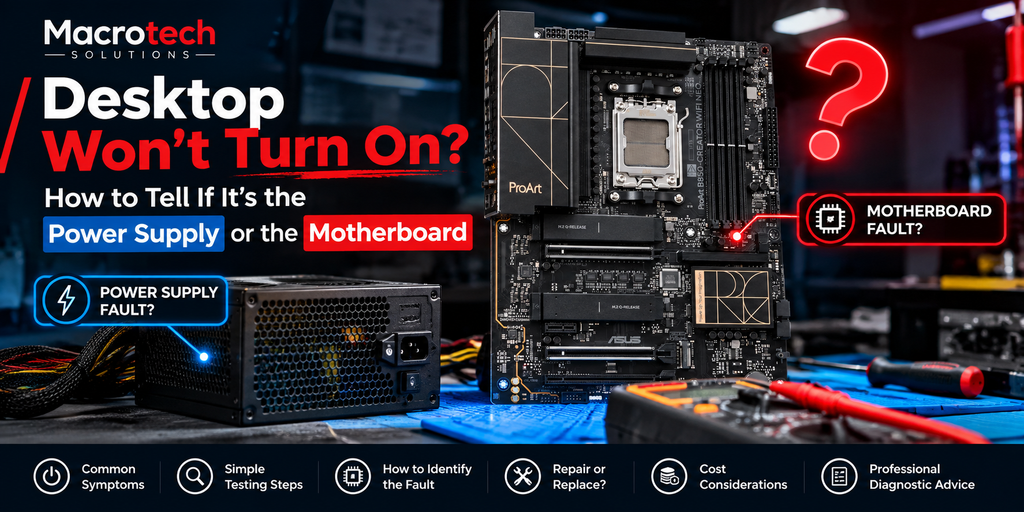
A desktop that won't power on at all — no fans, no lights, no beeps — is one of the most stressful faults to diagnose yourself, because two very different problems produce exactly the same symptom: a dead power supply, or a faulted motherboard. Guessing wrong means paying for a part that was never the problem.
The Most Common "No Power" Fault — and Why It's Hard to Self-Diagnose
Both a failed power supply unit (PSU) and a failed motherboard can leave a desktop completely silent when you press the power button. Without testing, there's no reliable way to tell them apart just by looking at the case from the outside — which is exactly why this fault gets misdiagnosed (and money gets spent on the wrong part) so often.
What Actually Happens When You Press the Power Button
Pressing the power button sends a signal from the front-panel connector to the motherboard, which then tells the PSU to start supplying power to the system. If the PSU can't produce stable voltage on its rails, the system won't power on. If the motherboard itself has failed — a blown capacitor, a damaged power-delivery component, or a short elsewhere on the board — the PSU may be perfectly healthy but never gets the signal to start, or shuts itself down immediately as a protection response. Same symptom, two completely different root causes.
Simple Checks You Can Safely Do at Home
Before booking a diagnostic, a few checks are safe to do yourself and can sometimes narrow things down:
- Confirm the wall outlet and power cable are actually delivering power (try a different outlet and cable)
- Check that the PSU's own power switch (on the back of the unit, if fitted) is switched on
- Listen closely for the PSU fan spinning briefly, or any coil whine, when you press the power button
- Check for any obviously swollen or leaking capacitors on the motherboard (only if you're comfortable safely opening the case)
If none of these resolve it, the fault needs proper bench testing — not more guessing.
Signs That Point Toward the Power Supply
- No fan spin at all from the PSU itself, even briefly, when the system is switched on at the wall
- A burning smell or visible damage specifically around the PSU unit
- The system powered off suddenly during use before this happened (sudden PSU death is a common trigger)
- Intermittent power-on success that seems to depend on how warm the system is
Signs That Point Toward the Motherboard
- The PSU fan spins briefly (or a PSU tester confirms the PSU is outputting correctly) but the system still won't boot
- Visible swelling, leaking or discolouration on capacitors near the CPU socket or power delivery area
- A burning smell localised to the motherboard itself, not the PSU
- The fault appeared after a power surge, storm, or a component installation (RAM, GPU, a new drive)
Why Guessing Gets Expensive
A replacement PSU is a relatively inexpensive, low-risk purchase — which is exactly why it's the first thing many people try. The problem is that if the real fault is on the motherboard, a new PSU changes nothing, and the system still won't turn on. We regularly see desktops that have already had a new PSU fitted before the fault is correctly traced to the motherboard — the kind of avoidable cost that proper bench diagnostics is designed to prevent, a point we've made in more detail in our microsoldering and component-level repair explainer.
What Professional Diagnosis Involves
Rather than swapping parts to see what fixes it, our technicians test the PSU under load with a dedicated PSU tester, check voltage rails and power-delivery components on the motherboard directly with a multimeter, and inspect for visible component damage under magnification — confirming exactly which part has failed before any part is ordered or replaced.
Local to Carrum Downs, Frankston or the Bay-Side Suburbs?
We're based at 50 Titan Drive, Carrum Downs, and diagnose this exact fault pattern regularly for home and business customers across Frankston, Seaford, Langwarrin and Skye, and Patterson Lakes. See our desktop computer repair services or our business IT repair services for fleet and priority diagnostics.
Frequently Asked Questions
Can I test my own PSU at home?
A basic paperclip test can confirm the PSU fan spins, but it doesn't confirm the PSU is delivering stable voltage under actual load, which is what a proper PSU tester checks. It's a useful first clue, not a full diagnosis.
Is it worth just replacing the PSU to see if that fixes it?
It can work, but if the real fault is the motherboard, you've spent money without fixing anything — and in rare cases a genuinely faulty PSU can damage a new one too. A quick diagnostic is usually the more cost-effective first step.
How much does desktop motherboard or PSU repair cost?
It depends on which component has failed. A $50 diagnostic fee applies to confirm the exact fault; it's waived if you proceed with the repair, and you'll get a written quote first.
Will a power-supply or motherboard fault affect my stored data?
Usually not — in most cases your storage drive is unaffected by a power-delivery fault, though a severe power surge can occasionally damage a drive too. We'll check this specifically during diagnosis.
Desktop showing no signs of life at all?
Book a Diagnostic — $50, Waived If You RepairMacrotech Solutions is an independent computer repair service and is not affiliated with any PC component manufacturer.