

Why Doesn't My New Laptop Have Upgradeable RAM Anymore? Soldered RAM vs LPCAMM2 Explained
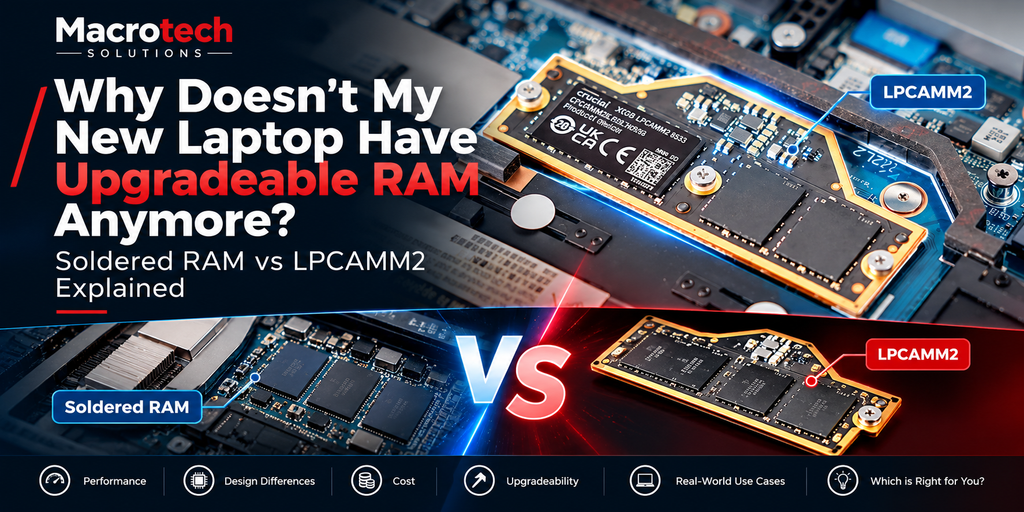
If you've ever tried to add more memory to a laptop bought in the last few years and been told it isn't possible, you're not imagining it — and it isn't a fault. Most modern thin-and-light laptops (and every current MacBook) now ship with their RAM soldered permanently to the motherboard. It's a genuine change in how laptops are built, not a Macrotech repair limitation, and it's worth understanding before your next purchase or repair decision.
What "soldered RAM" actually means
On an older laptop, memory lived on small removable sticks (SO-DIMMs) that clicked into slots — pull two screws off the base panel, swap the sticks, done. On most laptops made in the last five to six years, and on every Apple Silicon Mac, that memory is instead built directly into chips that are soldered to the motherboard during manufacturing. There's no slot, no stick, and no way to add more later. What you order at checkout is what the machine has for its entire life.
Why manufacturers moved away from replaceable memory
This wasn't done to make repairs harder — it's a genuine engineering trade-off, and there are two real reasons behind it.
It's faster, and it uses less power
Soldering memory chips directly next to the processor shortens the electrical path between them dramatically. Shorter paths mean the memory can run at higher speeds with tighter timing and lower voltage, which is a meaningful battery-life and performance win — particularly for Apple's unified-memory architecture, where the RAM and processor share the same package almost as one component.
It's how ultra-thin designs are possible
A removable memory slot needs physical clearance, a connector, and a shielded card — none of which is thin. Removing that hardware is one of the reasons laptops have gotten dramatically slimmer and lighter over the last decade without sacrificing battery capacity.
LPCAMM2: the industry's attempt to have it both ways
LPCAMM2 (Low-Power Compression Attached Memory Module) is a newer, low-profile module standard designed to close this gap. It uses the same low-power memory technology as soldered chips, but mounts on a small, flat, replaceable module instead of being permanently fixed to the board — aiming to keep most of the speed and power benefits of soldered memory while still allowing a repair technician (or, on some models, the owner) to swap it later.
Which laptops actually use it today
LPCAMM2 adoption is still limited and inconsistent. It has appeared in a handful of business and enthusiast laptops from manufacturers experimenting with repairable, higher-end designs, and it's the kind of feature that shows up on specification sheets for repairability-focused models rather than mainstream consumer ranges. It has not been adopted across the board, and most mainstream thin-and-light laptops — along with every current Mac — still use fully soldered memory. If upgradeable memory matters to you, it's worth specifically checking a model's spec sheet for "LPCAMM2" or "user-replaceable memory" rather than assuming a slim, modern-looking laptop has it.
Does this affect repairability the way it sounds like it should?
Soldered memory is often talked about in the same breath as "unrepairable," but the reality for most owners is more specific than that.
What happens if a soldered RAM chip actually fails
Outright RAM chip failure is genuinely uncommon compared with the faults we see far more often — battery wear, charging-circuit damage, liquid ingress, screen and hinge faults, and failing storage. When a RAM chip is at fault, the repair path is component-level: identifying the specific faulty chip through diagnostic testing and, where the board design allows it, replacing that individual chip via microsoldering, rather than being able to simply unclip a stick. This is specialist work — the kind of repair we cover in detail in our microsoldering and component-level repair guide — and it isn't offered by every repairer, which is part of why "the RAM is soldered" sometimes gets treated as a dead end when it doesn't have to be.
Why this isn't quite the same story as a dead SSD
It's worth separating two different components that both get soldered on modern devices. A failed SSD risks your data — this is why we cover data recovery as its own topic. A failed RAM chip doesn't put your files at risk in the same way (memory is temporary working space, not storage), but a board-level RAM fault can still cause the exact symptoms of a much bigger problem — random restarts, kernel panics, failure to boot — which is why accurate diagnosis matters before assuming the whole board, or the whole machine, is a write-off.
The same story is playing out with storage right now
If this trend sounds familiar, it's because it's happening to laptop and desktop storage too, not just memory. Apple's brand-new Mac mini M6 and M5 Pro models quietly reverted to fully soldered SSD storage this month, after several recent generations allowed at least some aftermarket storage upgrades — we've covered exactly what changed and what it means for buyers in our updated Mac mini M6 buying guide. RAM and storage are being treated the same way by manufacturers, for largely the same performance and design reasons — which makes "what can and can't be upgraded later" one of the more important questions to ask before you buy, not after.
| Memory type | Can it be upgraded later? | Typical use |
|---|---|---|
| SO-DIMM (traditional) | Yes — screws out, clips in | Older laptops, some desktop-replacement models |
| LPCAMM2 | Yes, on the small number of models that use it — technician-level, sometimes owner-level | A handful of business/repairability-focused laptops |
| Soldered (BGA) memory | No — fixed at purchase; component-level repair only if a chip fails | Most current thin-and-light laptops; every current Mac |
What to check before you buy your next laptop or Mac
- Decide your memory (and storage) capacity at checkout if the model uses soldered chips — treat it as a permanent decision, not something to "sort out later."
- If future upgradeability genuinely matters to you, specifically search the model's spec sheet for "LPCAMM2" or "user-upgradeable memory" rather than assuming from the laptop's size or price.
- Buying slightly more memory than you think you need is usually cheaper in the long run than discovering later that 8GB or 16GB isn't enough and there's no way to add more.
- If you're weighing a new machine against repairing what you already own, a proper diagnostic will tell you honestly which is the better value — see our repair-or-replace guide.
Getting an honest answer before you buy or repair
As an independent repair centre, Macrotech doesn't sell new laptops or Macs, so we've got no stake in pushing you toward a purchase either way. If your current machine is showing symptoms that might point to a memory or storage fault, we can run a proper diagnostic, identify the actual cause, and give you a straight answer on whether component-level repair makes sense — or whether it's genuinely time to consider something new.
Not sure if it's a RAM fault, a storage fault, or something else?
Book a diagnostic with Macrotech Solutions, Carrum Downs — servicing Frankston, Cranbourne, Lyndhurst, Langwarrin, Seaford, Skye, Patterson Lakes and surrounding southeast Melbourne suburbs.
Book a Diagnostic Call 03 8759 1801Frequently Asked Questions
Can I add more RAM to my laptop myself?
Is soldered RAM less reliable than removable RAM?
What is LPCAMM2 and does my laptop have it?
If my laptop's RAM fails, does that mean I need a new laptop?
Does soldered RAM put my data at risk the way a failing SSD does?
Macrotech Solutions is an independent computer and Apple device repair specialist and is not affiliated with, authorised by, sponsored by or endorsed by Apple Inc. or any other laptop manufacturer named in this article. Product names and specifications referenced are publicly available manufacturer information, correct as at the time of writing.