

Why Cheap USB-C Chargers and Cables Can Damage Your Laptop's Charging Circuit
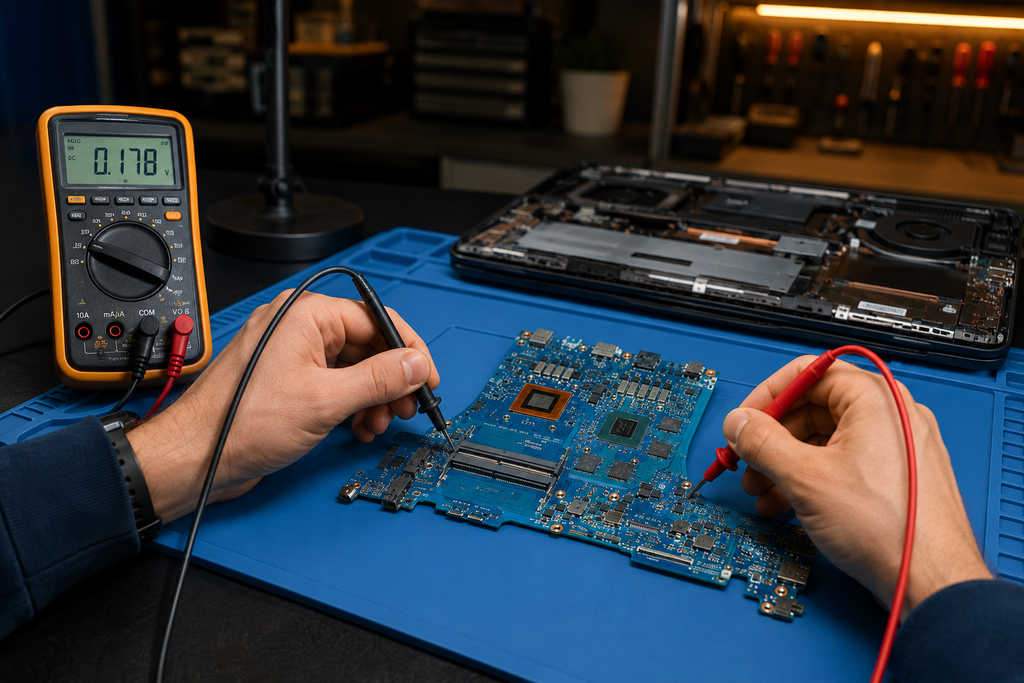
Charging & Logic Board
A $12 USB-C charger from a servo or a marketplace listing looks the same as the one your laptop shipped with. Underneath, it often isn't — and the difference can end up costing you a lot more than the charger did. Here's how a cheap charger or cable can damage your laptop or MacBook's charging circuit, not just fail to charge it.
This is a genuine, common pattern we see on the bench, not a scare story. It affects MacBooks and Windows laptops alike, because almost every laptop sold since around 2018 charges over USB-C.
How USB-C Charging Is Supposed to Work
Unlike the old barrel-style laptop chargers that simply pushed out one fixed voltage, USB-C charging is a negotiation. When you plug in, your laptop and the charger exchange a handshake called USB Power Delivery (USB-PD): the laptop tells the charger what voltage and current it needs, the charger confirms what it can safely supply, and only then does real power start flowing — typically ramping from 5V up to 20V (or higher on some newer laptops) in controlled steps.
That negotiation is handled by a small, dedicated chip on your laptop's logic board (often called a USB-C or PD controller — the CD3217 is one common example on MacBooks) working together with a matching chip inside a genuine charger, and an "e-marker" chip built into any cable rated above 60W. Every part of that chain has to behave correctly for the negotiation to stay safe.
What Happens When a Charger or Cable Cuts Corners
Missing or fake e-marker chips
Cables rated for higher wattage are supposed to contain a small e-marker chip that reports the cable's actual current rating during negotiation. Many cheap cables either omit this chip or report a rating the cable can't actually sustain. When that happens, the laptop can be told it's safe to draw more current than the cable can handle — the cable overheats, and voltage on the line becomes unstable.
Voltage or current that doesn't match the negotiation
A genuine PD charger only supplies the exact voltage it agreed to during the handshake. Non-compliant chargers — usually ones built to hit a low price point rather than the full USB-PD specification — can supply the wrong voltage, supply it with excessive ripple or noise, or fail to cut power fast enough if something goes wrong. Your laptop's charging circuit expects clean, correctly-negotiated power. When it doesn't get that, the components managing the incoming power — the charging IC, protection circuitry, and sometimes the battery management system — absorb the difference.
Why This Shows Up as a Logic-Board Problem, Not "Just a Dead Charger"
On a modern laptop, the USB-C port isn't a simple socket — it's wired directly into the logic board's power management circuitry. When a bad charger or cable stresses that circuit repeatedly, the damage doesn't stay contained to a replaceable cable. It can affect:
- The USB-C / PD controller chip — the component that negotiates charging can be damaged by repeated voltage irregularities, eventually failing to negotiate a charge at all
- The charging IC or power management IC (PMIC) — regulates how power is distributed to the battery and other components; a damaged PMIC can cause slow charging, no charging, or in some cases erratic power delivery to other parts of the board
- The port connector itself — a cable that runs hot or an internal short can degrade the physical solder joints holding the port to the board
- Battery health — irregular charging current over an extended period can accelerate battery wear even when nothing has visibly "failed" yet
This is why a laptop that "suddenly stopped charging" after months of using a bargain charger often turns out, on the bench, to be a logic-board-level fault rather than a simple port or cable issue — the damage was cumulative, and the cheap charger was just the mechanism.
Warning Signs Your Charger Is the Problem
Watch for these before it becomes a repair
- The charger, cable, or the laptop near the port gets noticeably hot during charging
- Charging speed varies wildly, or the laptop reports "not charging" while plugged in
- The connection only works when the cable is held at a specific angle
- You hear coil whine or notice flickering charge indicators
- The charger has no visible compliance markings (RCM for Australia, CE, or a recognisable brand) or feels unusually light and cheaply made for its stated wattage
How to Choose a Safe Charger and Cable
- Match or exceed your laptop's original wattage. Check the wattage printed on your original charger or in your laptop's specifications, and buy a replacement rated at least that high.
- Buy from a reputable brand. Established USB-C charger and cable manufacturers publish PD compliance certification; ultra-cheap unbranded listings often don't, even when the packaging looks similar.
- Look for the Australian RCM compliance mark on the charger itself, not just the box.
- For cables above 60W, confirm the cable is explicitly rated for that wattage — a cable that only lists "USB-C" with no wattage rating is not safe to assume for high-power charging.
- Avoid charging from unknown public USB ports or cheap multi-port "charging station" hubs for anything beyond a quick top-up — many don't implement full PD negotiation correctly.
Does This Apply to MacBooks and Windows Laptops Equally?
Yes. Every MacBook since 2016 (and virtually every modern Windows ultrabook) charges over USB-C using the same USB-PD standard, so the negotiation process — and the risk when a charger ignores it — is essentially identical across brands. The specific chips involved differ by manufacturer, but the underlying failure pattern (a controller or power management chip absorbing repeated bad power delivery) is the same whether you're carrying a MacBook Air, a Dell XPS, or an ASUS Zenbook.
When the Damage Is Already Done
If your laptop has stopped charging, charges only intermittently, or runs hot near the port after a period of using a third-party charger, stop using that charger immediately and have the laptop assessed before continuing to charge it. Continuing to apply power through a compromised circuit can extend the damage to components that were originally unaffected.
Depending on what's actually failed, the repair path is usually one of: a straightforward port connector replacement, component-level replacement of the specific damaged chip (PD controller or PMIC) via microsoldering — which is far more cost-effective than replacing the whole board — or, in more extensive cases, full logic board replacement.
Frequently Asked Questions
Can a cheap USB-C charger really damage my laptop?
Yes. A charger or cable that doesn't correctly implement USB Power Delivery negotiation can supply incorrect or unstable voltage to your laptop's charging circuit. This is more often a cumulative effect from repeated use than a single dramatic failure, and it can damage the USB-C controller chip, the power management IC, or the port connector itself.
How do I know if my charger is genuine or PD-compliant?
Check for a wattage rating, the Australian RCM compliance mark, and a recognisable brand name printed on the charger itself (not just the packaging). If none of these are present, or the charger feels unusually light for its claimed wattage, treat it as unverified.
Is this the same for MacBooks and Windows laptops?
Yes. Both use the USB-PD standard for USB-C charging, so the same negotiation process — and the same risk from a non-compliant charger — applies across brands, whether it's a MacBook, a Dell, an HP, an ASUS, or another modern laptop.
My laptop only charges from one port — is that charger damage?
It can be, but it can also point to a port-specific fault unrelated to charger quality. It's worth having it diagnosed rather than guessing — a working port on the same machine usually means the fault is isolated rather than affecting the whole board.
Can Macrotech repair charging-circuit damage in Carrum Downs?
Yes. Macrotech Solutions diagnoses and repairs charging-circuit and logic-board faults — including component-level microsoldering repairs — for MacBooks and Windows laptops at our workshop at 50 Titan Drive, Carrum Downs VIC 3201. Call 03 8759 1801 or book online.
Related Macrotech Services & Reading
Laptop Charging Acting Up? Get It Diagnosed Properly.
Macrotech Solutions can tell you plainly whether it's the charger, the cable, or genuine board-level damage — with a written quote before any work begins.
Book a Service Online Call 03 8759 1801Mon–Fri 10am–5pm · Sat 10am–2pm · 50 Titan Drive, Carrum Downs VIC 3201
Macrotech Solutions is an independent repair centre and is not affiliated with, endorsed by, or sponsored by Apple Inc., Microsoft, or any device manufacturer. All trademarks are the property of their respective owners. Information in this article is general in nature and current as of 2 September 2026.