

Windows Says "Turn On Virus Protection" But Defender Is Already On? Here's What's Happening
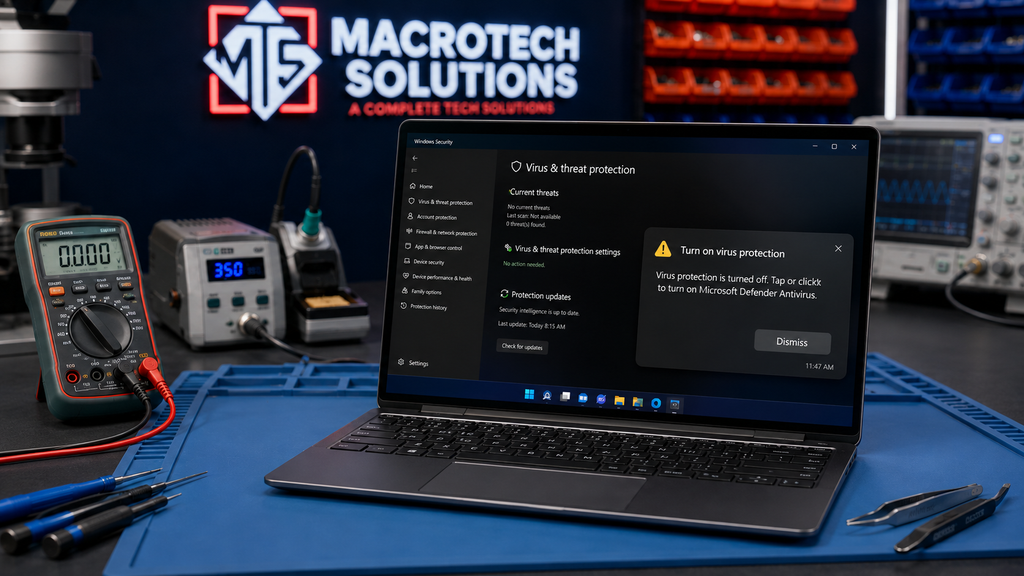
If Windows 11 has started nagging you to "turn on virus protection" every time you restart — even though Microsoft Defender looks perfectly healthy when you check it — you're not imagining it, and you're not alone. It's a display bug that's been showing up since late July 2026 and getting more reports since the August 2026 Patch Tuesday update. Here's what's actually going on, how to confirm your PC is genuinely protected, and when it's worth getting it looked at properly.
What's Actually Happening
Users on Microsoft's own Q&A forum began reporting the issue from around 30 July 2026, and it's picked up since Microsoft's August 2026 Patch Tuesday update (KB5121003, released 11 August 2026). The pattern is consistent: a notification appears — often at almost exactly the same point after every restart — saying virus protection is off. Open Windows Security and everything shows green: Real-time protection, Cloud-delivered protection, Tamper Protection all enabled. Run a scan and nothing turns up.
Digging deeper, affected users have found a mismatch between two things that are supposed to agree: Windows Security Center (the part that shows you the notification) and Microsoft Defender itself (the actual antivirus engine). Defender's own status logs, event history and scan results all show it running normally. Security Center, meanwhile, is reporting the opposite. That points to a synchronisation problem between the two components rather than your antivirus genuinely switching off.
Why This Is Confusing People
The timing makes it feel deliberate — the same uptime mark, every single restart, "on the dot" as several users have described it. That kind of consistency naturally makes people suspect malware interfering with notifications rather than a garden-variety software glitch. Combined with a security warning that won't clear no matter what you try, it's an unsettling thing to see pop up on your own computer.
How to Check Your PC Is Genuinely Protected
- Open Windows Security (search "Windows Security" in the Start menu) and go to Virus & threat protection. Confirm Real-time protection, Cloud-delivered protection and Tamper Protection all show as on.
- Check for Windows updates. Settings > Windows Update > Check for updates. Install anything pending and restart — Microsoft has fixed similar Security Center sync issues with cumulative updates before.
- Run a quick scan from the same Virus & threat protection screen. A clean result, combined with green settings above, is a strong sign nothing is actually wrong.
-
If you're comfortable with PowerShell (run as administrator),
Get-MpComputerStatuswill showAntivirusEnabled,RealTimeProtectionEnabledand related fields directly from Defender, bypassing Security Center's reporting entirely.
What Not to Do
Don't install a second, third-party antivirus "just in case" on top of Defender — running two real-time antivirus engines at once is a classic cause of its own performance problems, false positives and conflicts, and it won't fix a reporting glitch. Don't disable Windows Security notifications altogether either; muting the symptom makes it harder to notice if a genuine problem comes up later.
What Microsoft Has (and Hasn't) Said
As of this article's publication, Microsoft has not issued a formal advisory naming this specific "turn on virus protection" display bug. It has surfaced repeatedly in the community-support side of Microsoft's own Q&A and Tech Community platforms, where a volunteer moderator has directed affected users to log it via Feedback Hub (Win+F) and Microsoft Support so it gets proper visibility. That's a meaningful distinction worth being clear about: this is a widely reported, evidence-backed pattern — not yet a confirmed, named entry on Microsoft's official Windows release-health known-issues list. We'll update this article if that changes.
When It's Worth a Professional Check
Most people can work through the steps above in a few minutes. It's worth bringing your computer in rather than guessing further if: the notification persists after a full Windows update and restart; you're not confident reading PowerShell output or Defender's event logs yourself; or you've noticed anything else alongside it — unexpected pop-ups, a noticeably slower machine, browser settings that changed without you touching them. Those extra signs are the difference between "annoying Windows bug" and "worth an actual look," and it's not something you should have to work out alone.
Not sure if your PC is really protected?
We can check your antivirus status, Windows Update history and general system health properly — usually while you wait — and tell you honestly whether it's the known display bug or something that needs fixing.
Book a Diagnostic CheckFrequently Asked Questions
Does the "turn on virus protection" notification mean my PC is infected?
Not on its own. The reports gathered so far point to a display bug in Windows Security Center rather than Defender actually switching off. But a notification you can't explain is still worth checking properly rather than dismissing, especially if you also notice pop-ups, slow performance or unfamiliar programs.
How do I check if Windows Defender is really protecting me?
Open Windows Security, go to Virus & threat protection, and check that Real-time protection, Cloud-delivered protection and Tamper Protection are all on. If you're comfortable with PowerShell, Get-MpComputerStatus will show whether the antivirus engine and real-time protection are genuinely enabled, separately from what the notification claims.
Has Microsoft confirmed this is a bug?
As of publication, Microsoft has not issued a formal advisory naming this specific notification bug. It has been raised repeatedly on Microsoft's own Q&A and Tech Community forums by users after the August 2026 update, and volunteer moderators have pointed affected users to Feedback Hub and Microsoft Support to have it formally logged. We'll update this article if Microsoft publishes an official statement or fix.
Should I buy third-party antivirus software because of this?
Not because of this notification specifically. If your PowerShell and Windows Security checks confirm Defender is running, adding another antivirus product on top can cause its own conflicts. It's more useful to fix or ignore the display bug and keep Windows fully updated.
When should I bring my computer in for a professional check?
If the notification won't go away after restarting and updating, if you're not confident reading the PowerShell output yourself, or if you've noticed other odd behaviour alongside it, it's worth a proper diagnostic rather than guessing. Macrotech can confirm in a short visit whether your protection is genuinely active and whether anything else needs attention.
Related reading: if this notification appeared around the same time as other post-update issues, see our guide to the Windows 11 August 2026 Patch Tuesday update, or if your machine has been running slow generally, see why your Windows laptop might be running slow. Carrum Downs, Frankston, Cranbourne, Lyndhurst, Langwarrin, Seaford, Skye and Patterson Lakes customers are welcome to bring a laptop or desktop in for a proper check — walk-ins are easiest Monday to Friday, 10am–5pm, or Saturday 10am–2pm, at 50 Titan Drive, Carrum Downs.
Macrotech Solutions is an independent computer repair specialist and is not affiliated with, endorsed by, or sponsored by Microsoft Corporation. References to Windows, Windows 11, Windows Defender and Windows Security are used for identification and informational purposes only. Information in this article reflects publicly available reports as at 20 August 2026 and may change as Microsoft investigates further.