

Laptop Screen Flickering or Showing Lines? How to Tell a Panel Fault From a Cable or Board Problem
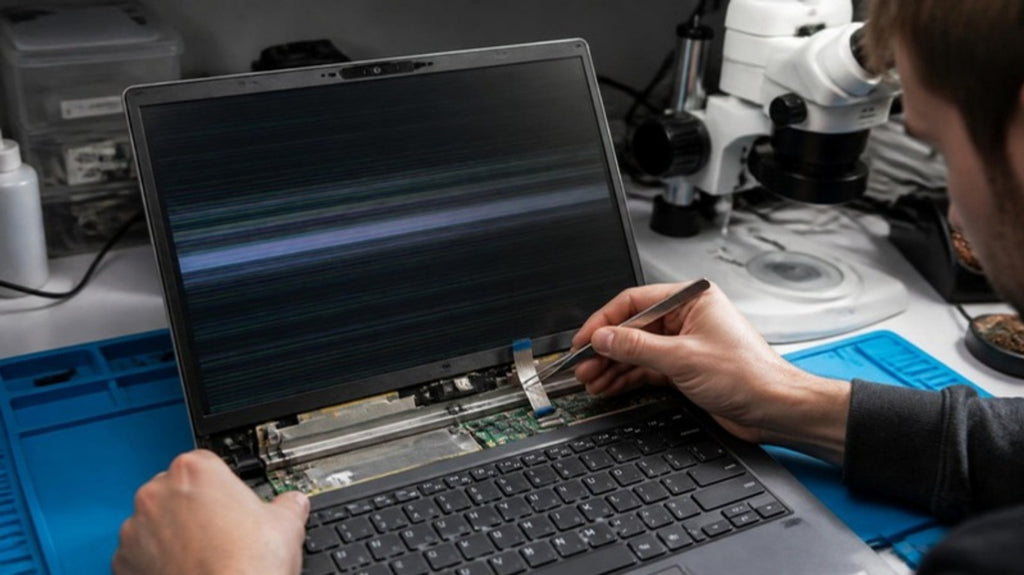
A flickering screen or a band of coloured lines is one of the most common reasons people bring a Windows laptop in. The frustrating part is that the same symptom can come from three very different places: the screen panel itself, the thin cable that feeds it, or the display circuit on the motherboard. A replacement screen only fixes the first. Working out which one you have before you buy a part can save you a lot of money.
Start with what the screen is actually doing
The pattern tells you more than the fact that something is wrong. Note exactly what you see, and when it happens.
Flickers or changes as you move the lid
If the picture flickers, dims or disappears when you open, close or flex the lid, the display cable or its connector is the first suspect. The cable runs through the hinge and bends every time you use the laptop, so wear and loose connections are common.
Vertical or horizontal lines that stay put
Fixed lines, bars or patches of colour that stay the same regardless of how you hold the lid usually point to the panel, or to the small driver electronics attached to it. If part of the screen is also dark or smeared, the panel is the likelier cause.
Looks wrong everywhere, including at start-up
If the manufacturer's logo at start-up is already distorted, the problem is not Windows or a driver. It is hardware: panel, cable or board.
The simplest test: plug in an external monitor
Connect the laptop to an external monitor or a TV using HDMI or USB-C video. If the external picture is clean and stable, the graphics output and most of the board are working, which narrows the fault to the laptop's own screen or its cable. If the external picture shows the same lines or flicker, the cause is upstream of the display, either the graphics chip or the board, and a new panel will not help.
It is also worth checking Windows itself. Update the graphics driver, and try setting the refresh rate to 60 Hz in display settings. Driver problems can cause flicker, but they do not cause lines that are already visible at the start-up logo.
What each cause usually means
Failing panel
A damaged or ageing panel can show lines, dead patches or pressure marks, and these do not move when the lid moves. A cracked screen is obvious, but internal damage from a knock or pressure on a closed lid can look like lines with no visible crack. Replacement is the fix, and our guide to what determines laptop screen repair cost explains why prices vary so much between models.
Display cable or connector
A worn or loose cable can cause flicker, flashing or a picture that comes and goes with the lid angle. This is usually a smaller repair than a new screen. It is also sometimes the connector on the board, rather than the cable, that has failed.
Graphics or board-level fault
If the external monitor shows the same fault, or the laptop flickers and then freezes or restarts, the board may be at fault. Faults in the display circuit, the graphics chip's connections or a power component can all produce this. Because the repair is at component level, it is a job for microscope and microsoldering work, not a part swap. Our article on how microsoldering saves unfixable laptops explains what that involves.
What not to do
- Do not press hard on the screen or flex the lid to see what happens. It can turn a cable fault into a panel fault.
- Do not order a replacement panel until the external monitor test has been done.
- Do not keep using a laptop that also smells hot, shuts down or has a swollen battery. Stop and have it checked.
If you use a MacBook, the symptoms and causes differ. See our guide to MacBook screen flickering and backlight faults instead.
How we diagnose it at Carrum Downs
We confirm the symptom, run the external display test, inspect the cable and connector, and then check the board's display circuit if the fault does not clear. You get a clear explanation of which of the three it is, before any repair is quoted. We help customers across Carrum Downs, Frankston, Cranbourne, Lyndhurst, Langwarrin, Seaford, Skye and Patterson Lakes. See our laptop repairs page for more.
Frequently Asked Questions
Why is my laptop screen flickering?
Common causes are a loose or worn display cable, a failing panel or a fault in the display circuit on the motherboard. A graphics driver can also cause flicker, but not lines that appear at start-up.
How do I know if it is the screen or the motherboard?
Connect an external monitor. A clean external picture points to the laptop screen or its cable. The same fault on the external monitor points to the graphics circuit or board.
Can lines on a laptop screen go away on their own?
Sometimes they come and go with a loose cable, but a failing panel does not heal. If lines return, get the cause identified.
Is it worth replacing the screen?
Only if the panel is the cause. Replacing it when the cable or board is at fault will not fix the problem.
Can a graphics fault be repaired?
Often a board-level fault can be repaired by microsoldering. We confirm what is possible after diagnosis.
Screen flickering or showing lines? Find out whether it is the panel, the cable or the board before you buy a part.
Book a DiagnosticMacrotech Solutions is an independent repair centre and is not affiliated with Microsoft, Apple or any device manufacturer. Brand names are trademarks of their owners.