

SSD Not Detected in the BIOS? How to Tell a Failed Drive From a Board Fault
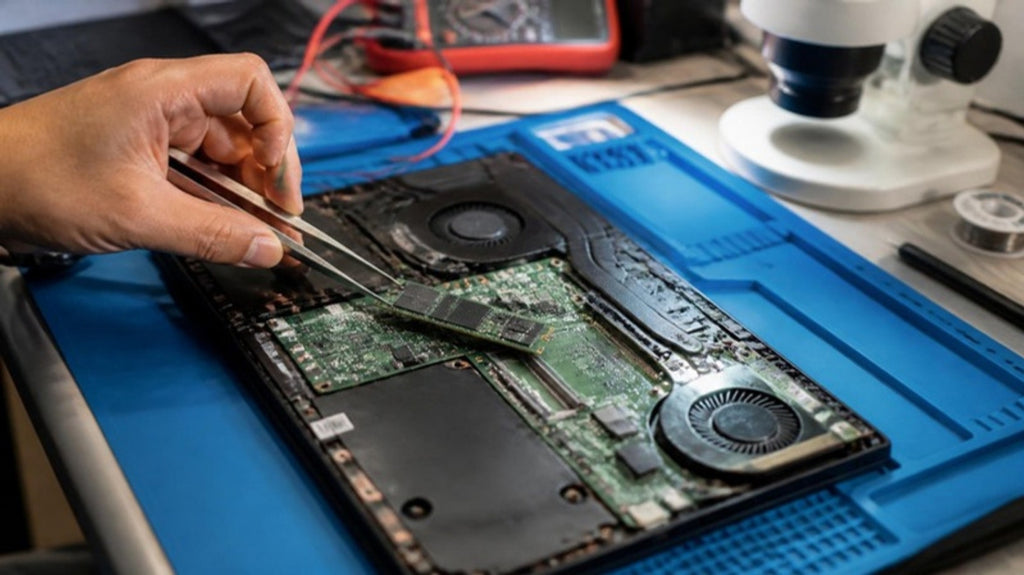
Your laptop or PC will not boot, and when you open the BIOS or firmware settings, the SSD is nowhere to be seen. It is an alarming moment, mainly because your files are on that drive. The good news is that a missing drive does not always mean a dead one. The bad news is that what you do next matters, especially if the data is important.
What "not detected" actually means
The BIOS is the small piece of firmware that runs before Windows. It lists the storage devices the computer can see. If your SSD is missing from that list, the computer cannot talk to it at all, so no operating system repair, reinstall or recovery tool running on that machine will help. The fault is lower down, in one of three places: the drive, the connection to the drive, or the board that powers and reads it.
Safe checks you can do first
- Power off completely and remove the charger. Hold the power button for about fifteen seconds, reconnect power and check the BIOS again. A drive can drop out after a power glitch and reappear.
- Check the BIOS storage mode. Some machines show a drive only in a particular storage mode. Do not change this setting if you are unsure. On some systems changing it can stop Windows from starting.
- Listen and feel. A warm drive that is not detected can still be getting power. A completely cold one may not be.
If you are comfortable opening your own desktop, you can reseat the drive and check the cable on a SATA drive, or reseat an M.2 drive in its slot. On many laptops the case is held with hidden clips and the battery sits close to the board, so it is safer not to open it unless you know the model. Never open a laptop that has been wet or has a swollen battery.
The three usual causes
The drive has failed
Controller or firmware failure can make an SSD disappear from the BIOS entirely, and it can happen without warning. Our guide to the warning signs of a failing SSD covers the signs that often come before it. Some drives disappear for good, others show up as a tiny wrong-sized device, which is also a sign of a controller problem.
The connection has failed
A dirty or loose contact, a worn slot or a damaged cable can stop a perfectly good drive from being seen. This is the easiest cause to fix and the one we always rule out first.
The motherboard has failed
If a known-working drive is also not detected in the same machine, the board's storage circuit or its power supply to the drive has failed. A shorted component can also stop the drive from powering. This is a component-level fault, often found by measuring the power going to the drive slot and looking at the board under a microscope.
This is why testing the drive in a different machine is so useful. If it appears there, the drive is probably fine and the original machine's board or slot is the problem. If it is missing there too, the drive is the cause.
If the files matter, stop and think
Repeatedly powering on and off, running free recovery software or trying drive-repair commands cannot fix a drive the computer cannot see, and can make a marginal fault worse. If your files are not backed up, the safest approach is to stop, then have the drive assessed. Our guide to how professional data recovery works explains why some failures can be recovered and some, especially encrypted drives, cannot. For a MacBook, see why a failed MacBook SSD is not a simple swap.
How we approach it at Carrum Downs
We start by establishing whether the fault is the drive or the machine: we test the drive in a known-good system, and we measure power at the slot on the board. That tells you whether you need a drive replacement, a board repair or data recovery, before any money is spent. If the board is at fault, microsoldering may repair it, and we can then check the drive's data. We help customers across Carrum Downs, Frankston, Cranbourne, Lyndhurst, Langwarrin, Seaford, Skye and Patterson Lakes. See our data recovery page for details.
Frequently Asked Questions
Why is my SSD not showing in the BIOS?
The computer cannot communicate with it. The cause is the drive itself, its connection or slot, or the motherboard's storage circuit.
Does a missing SSD mean my data is gone?
Not necessarily. If the drive is intact, the data can often be recovered once the fault is found. Avoid repeated power-ons and recovery software until it has been assessed.
Can I reinstall Windows to fix it?
No. Windows cannot be installed on a drive the computer cannot see, and reinstalling can overwrite data.
How do I know if it is the drive or the laptop?
Test the drive in another working machine, or test a known-good drive in yours. The result separates the two.
Can a board-level storage fault be repaired?
Often, yes. If a component has failed, microsoldering may restore detection. We confirm after diagnosis.
SSD missing from the BIOS? Stop, avoid further attempts and have the drive and board checked.
Book a DiagnosticMacrotech Solutions is an independent repair centre and is not affiliated with Microsoft, Apple or any device manufacturer. Brand names are trademarks of their owners.