

Laptop Charger Port Loose or Only Charges at an Angle? What a DC Jack Repair Involves
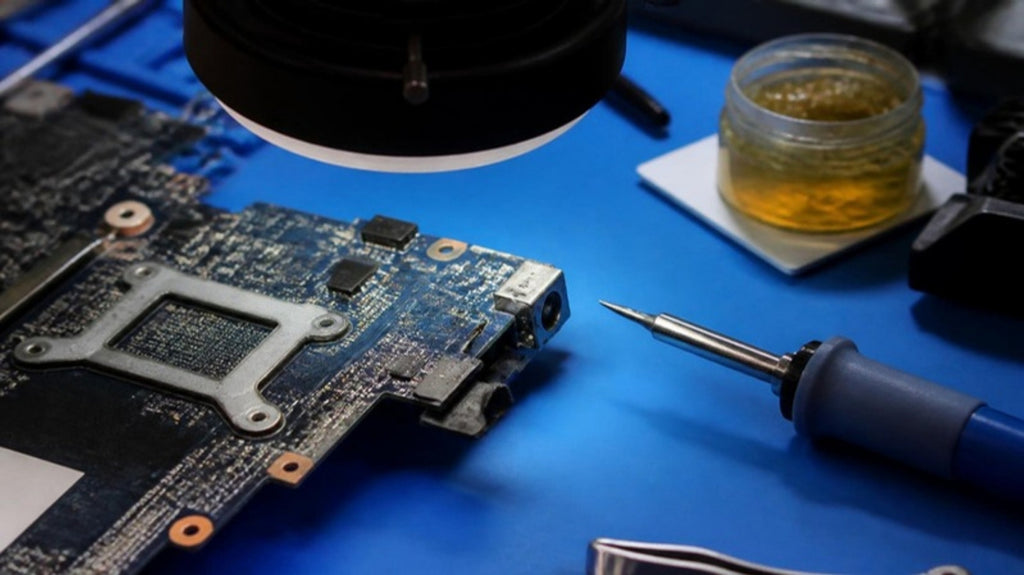
Your laptop charges only when the plug sits at just the right angle. You wiggle it, hold it, prop it up with a book. Sooner or later it stops charging altogether, or you smell something hot. That is a worn charging jack, and it is one of the most common hardware repairs on Windows laptops. It is also one where doing nothing tends to make it worse.
What the DC jack does
On many Windows laptops, the round or rectangular socket where the charger plugs in is a separate part soldered to the motherboard. Every time you plug in, unplug or tug the cable, the force goes straight into those solder joints. Over time they crack, or the socket's internal contacts wear, and the connection becomes intermittent.
Not every laptop works this way. Models that charge over USB-C use a different type of port, which fails in different ways. See our guide on USB-C port faults for those, and our article on how laptop charging works for the basics.
Signs the jack is the problem
- Charging works only when you hold the plug at an angle or press on it.
- The plug feels loose in the socket, or the socket moves when you push it.
- The charging light flickers when the cable is touched.
- The tip of the plug looks discoloured, or the socket has a burnt smell.
- The laptop runs on the battery fine but will not charge, and a new charger changes nothing.
Check the cheap things first
Before blaming the socket, rule out the charger and cable. Try a known-good charger with the correct voltage and wattage for your model. Look into the socket with a torch for lint or a bent centre pin. Do not use a metal pick inside a socket while the charger is connected. Disconnect the charger and, if your laptop has a removable battery, remove it first.
Avoid cheap unbranded chargers while you test. Wrong-rated or poorly made chargers can damage the charging circuit. Our article on how cheap chargers and cables damage laptops explains how.
Why you should not keep wiggling it
A loose jack can arc, a tiny spark across a bad connection. That heat can burn the socket, damage the pads on the board it is soldered to, and in the worst case harm the charging circuit behind it. A job that could have been a socket replacement then becomes a board repair. If the plug or socket is getting hot, stop using that charger and have it looked at.
What a proper repair involves
Replacing a DC jack is a soldering job on the motherboard, and the quality of the work matters. The usual steps are:
- Remove the board from the laptop and inspect the socket and its pads under a microscope.
- Remove the old socket with controlled heat and clean the pads.
- Check that the pads, tracks and nearby components are intact. If a pad has lifted, it can often be rebuilt.
- Fit the new socket and test charging, battery detection and power behaviour on the bench.
This is why a socket replacement by someone without a microscope and a proper soldering station can fail. A lifted pad or a damaged track needs component-level repair, which is the same skill we describe in our article on microsoldering explained. If the laptop does not power on at all, the fault may be deeper than the jack; see how technicians trace a short circuit.
Our approach at Carrum Downs
We test the charger and cable, inspect the socket, and measure the power path to the board. If the jack is the cause, we explain it, show you what we found and quote before starting. If the board has been damaged by the loose connection, we tell you that too. We help customers across Carrum Downs, Frankston, Cranbourne, Lyndhurst, Langwarrin, Seaford, Skye and Patterson Lakes. See our laptop repairs page for more.
Frequently Asked Questions
Why does my laptop only charge at an angle?
The charging socket or its solder joints are worn or cracked, so the connection only holds in certain positions.
Is it safe to keep using a loose charging port?
It is not recommended. A loose connection can arc and heat up, which can damage the socket and the board behind it.
Can a DC jack be replaced?
On many laptops, yes. It is soldered to the motherboard and replaced with microscope-level soldering work.
How do I know it is not the charger?
Try a known-good charger of the correct rating. If the fault stays with a different charger, the socket or board is the likelier cause.
Will a new battery fix a laptop that will not charge?
Not if the fault is the socket, charger or charging circuit. Check those first.
Charger loose or charging only at an angle? Get the socket and board checked before it gets worse.
Book a DiagnosticMacrotech Solutions is an independent repair centre and is not affiliated with Microsoft, Apple or any device manufacturer. Brand names are trademarks of their owners.