

Word or Excel Won't Open From Your Business Software After a Windows Update? Here's What's Going On
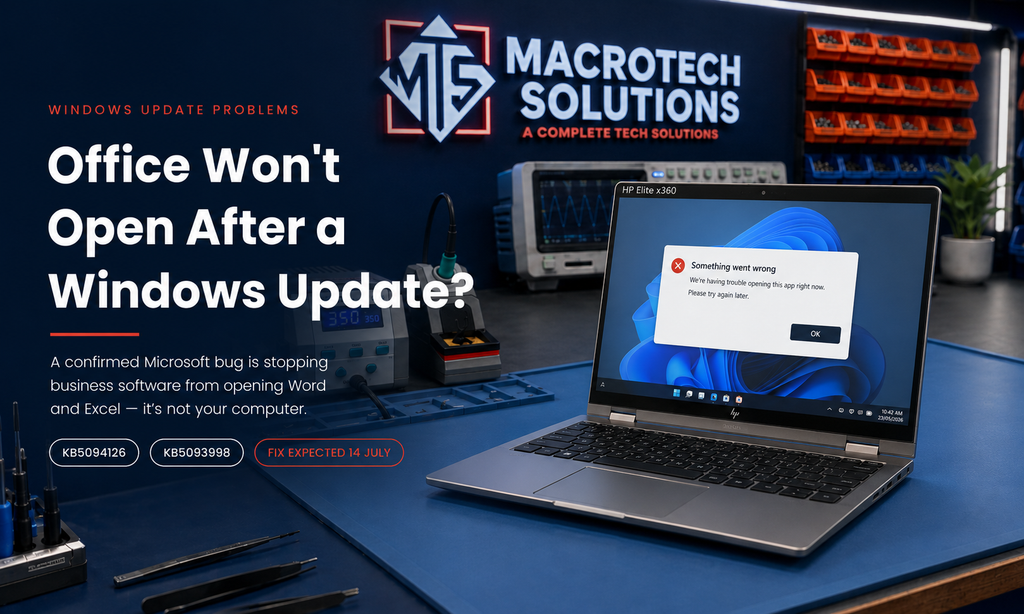
Word or Excel Won't Open From Your Business Software After a Windows Update? Here's What's Going On

Since mid-June we've been hearing the same story from small businesses and home offices around Carrum Downs, Frankston and Cranbourne: everything was fine, then after a Windows update, the accounting package, practice-management program or document system suddenly can't open Word or Excel. Click the button that used to generate a report or letter, and either nothing happens or an error appears.
If that sounds familiar, the good news is your computer probably isn't failing and your Office installation isn't corrupted. Microsoft has confirmed that its June 2026 Windows 11 updates broke the behind-the-scenes link that lets other programs open Office. Here's what's happening, what you can safely do about it, and what to avoid.
What Microsoft has confirmed
The Windows 11 security updates released on and after 9 June 2026 — KB5094126 (Windows 11 24H2/25H2) and KB5093998 — introduced a problem with OLE automation. OLE is the plumbing that lets one program drive another. It is what makes Export to Excel or Open in Word buttons work inside third-party software.
After the update, certain third-party applications can no longer launch Office applications or open documents through that mechanism. Microsoft's own known-issues page names reports involving CCH Engagement, Workpaper Manager, Dentrix, Softdent and Zotero — but any program that opens Office documents programmatically can be affected, including accounting, legal, medical and document-management software widely used by Australian small businesses.

How to tell if this is your problem
- The problem started after a Windows update in mid-to-late June 2026.
- Word, Excel or PowerPoint won't open from inside another program, but open fine from the Start menu.
- Documents generated by your software fail to appear, or you see an automation or COM error message.
- Reinstalling Office made no difference.
If instead your computer won't start at all after the June update, that's a different confirmed problem — see our earlier article on the June 2026 blue screen and BitLocker lockout issues.
What you can safely do right now
1. Use the direct-open workaround
Until the fix lands, open the document from within Word or Excel itself (File → Open), or from File Explorer, rather than from the button inside your business software. Clumsy, but safe.
2. Don't rush to uninstall the update
Some online guides suggest uninstalling KB5094126. We don't recommend that as a first step: the same update contains June's security fixes, and removing it leaves the machine exposed for weeks. If a business-critical workflow is down and you're weighing it up, get advice on your specific setup first.
3. Be careful with the optional preview update
The optional 23 June preview update (KB5095093) fixes an unrelated Recycle Bin annoyance but carries the same Office automation issue, so installing it won't bring the integration back.
4. Wait for (and then install) the July fix
Reporting indicates Microsoft plans to resolve the OLE automation problem in the 14 July 2026 Patch Tuesday update. Once it's out and confirmed stable, installing it promptly is the real fix. Managed business fleets can also request an interim mitigation through Microsoft business support.
Why this matters right now in southeast Melbourne
The timing is rough: the new financial year has just started, and July is exactly when accountants, bookkeepers and small businesses across Frankston, Seaford, Langwarrin, Skye and Patterson Lakes lean hardest on report exports, engagement software and document automation. A broken Export to Excel button in the first week of July isn't a small annoyance — it's lost billable time.
It's also when we see people mistake this bug for a failing computer and consider replacing a perfectly good machine. Before you spend money on new hardware, get a proper diagnosis — this one is a software issue with a scheduled fix.
When to bring it in
Call us or drop in if any of these apply:
- Your business software still can't open Office after the mid-July update arrives.
- You're not sure whether your problem is this bug, a malware issue, or failing hardware.
- The computer is also slow, crashing, blue-screening or failing to boot — those can point to SSD trouble or other faults worth catching early.
- You manage a few office machines and want updates handled so this doesn't blindside you again.
Business software broken after a Windows update?
Macrotech Solutions — 50 Titan Drive, Carrum Downs
Mon–Fri 10am–5pm · Sat 10am–2pm
Call 03 8759 1801Frequently asked questions
Why won't Word or Excel open from my accounting or practice software?
The Windows 11 updates released on and after 9 June 2026 (KB5094126 and KB5093998) changed how Windows handles OLE automation — the mechanism many business programs use to open Office documents. Microsoft has confirmed the issue.
Is my copy of Microsoft Office broken?
In most cases, no. If Word and Excel open normally from the Start menu, Office is fine — the problem sits in the Windows update. Reinstalling Office usually won't help.
When will Microsoft fix it?
Microsoft has said the fix will arrive in a future Windows update, with reports pointing to the 14 July 2026 Patch Tuesday release.
Should I uninstall the June Windows update?
Generally no — it contains security fixes. If a business-critical workflow is down, get advice on safer options first; the fix is expected mid-July.
Can Macrotech help?
Yes — we diagnose and resolve Windows update, software and performance problems for homes and small businesses across Carrum Downs, Frankston, Cranbourne and surrounding southeast Melbourne suburbs. Call 03 8759 1801.
Macrotech Solutions is an independent repair centre and is not affiliated with Microsoft, Apple or any device manufacturer. Product names are used for identification purposes only. Information above is accurate as at 5 July 2026 based on Microsoft's published known-issues documentation and reputable technical reporting; Microsoft's release plans may change.