


Flashing Question Mark Folder on Your Mac? When It's Software, the SSD or the Logic Board
Macrotech Solutions is an independent repair centre and is not affiliated with Apple, Microsoft or any device manufacturer.
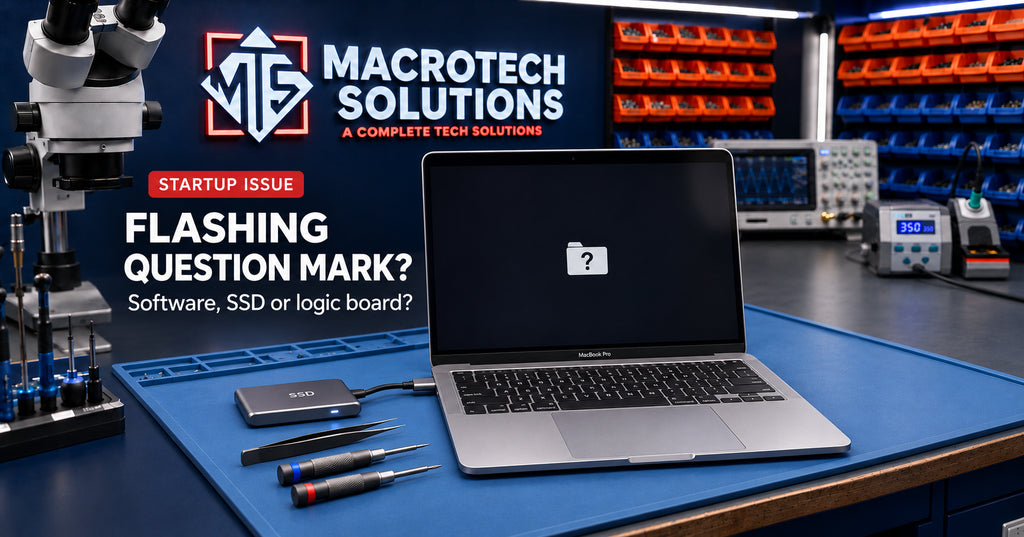
You press the power button and, instead of the Apple logo, you get a grey screen with a small folder and a question mark flashing in the middle. The Mac isn't dead, but it can't find anything to start from.
Sometimes that is a quick software fix. Sometimes it is the first sign that the drive, its cable or the circuit that powers it has failed, and then your next move decides whether your files survive. This guide covers the safe steps first, then what is happening inside the Mac when they don't work.
What the flashing question mark actually means
Apple's explanation is simple: the folder means the startup disk is no longer available, or it doesn't contain a working copy of macOS (Apple Support). That covers two very different situations:
- The drive is there, but macOS on it is damaged. An interrupted update, a forced shutdown or file-system corruption can stop the Mac starting, even though the hardware is fine.
- The Mac can't see the drive at all. The SSD, its cable or the power supply to the storage has failed, so as far as the Mac is concerned, there is no disk.
The steps below help you work out which one you have.
Safe steps to try first
If the question mark only flashes briefly
If the folder appears for a moment and the Mac then starts normally, Apple suggests checking that the right disk is selected in System Settings > General > Startup Disk. On Intel Macs, reset NVRAM and check the setting again. This usually happens after an external drive or second partition has been used as the startup disk.
Check the disk in macOS Recovery
- Shut the Mac down and unplug everything except the charger.
- Start up in macOS Recovery. On Apple silicon Macs, hold the power button until you see the startup options. On Intel Macs, hold Command (⌘) and R at startup.
- Open Disk Utility and check whether your internal disk (usually "Macintosh HD") appears in the sidebar.
- If it does, select it, run First Aid, then restart.
If First Aid finds no errors, or repairs them, and the question mark comes back, Apple's next step is to reinstall macOS from Recovery. Reinstalling macOS over the top normally keeps your files, but a backup first is still wise.
Before you erase anything
Apple's guide says that if Disk Utility finds errors it can't repair, you can erase the disk and reinstall macOS. Erasing deletes everything on the drive. If you have a current Time Machine or cloud backup, that is a reasonable step. If you don't, stop there. Erasing a disk with important files on it can turn a recoverable problem into a permanent loss.
When the drive doesn't appear at all
If your internal disk isn't listed in Disk Utility, or an erase fails, Apple says the Mac or the startup disk may need service. What that means depends on how your Mac's storage is built.
Older Macs with a separate drive and cable
Many older Intel MacBooks and iMacs have a separate hard drive or SSD connected by a ribbon or SATA cable. On these models a worn or damaged cable can cause the question mark, especially if the problem comes and goes when the Mac is moved. A cable is a relatively simple part to replace, and the drive and its data are often fine.
MacBooks with a removable SSD
Some MacBooks, such as the 2016–2017 13-inch MacBook Pro without a Touch Bar, use a removable Apple SSD. A community repair guide for this model describes a failing SSD that only starts some of the time, and corrosion on the SSD connector as a possible cause. Cleaning the connector sometimes brings it back. If the SSD itself has failed, it is replaced. If the drive works even occasionally, copy your data off straight away.
MacBooks with storage soldered to the logic board
From the 2016 Touch Bar MacBook Pro onwards, and on every MacBook with Apple silicon, the storage chips are soldered to the logic board. The SSD isn't a separate part you can swap, so when the drive disappears, the fault is on the board. Causes documented by board-level technicians include:
- a tiny resistor or capacitor on the storage power circuit that has lifted, cracked or shorted
- a failed power stage that should supply voltage to the storage chips
- corrosion from a past spill
- the storage controller, or the chip that unlocks the storage, failing to start
This is microsoldering work: measuring individual power lines with a multimeter, using a thermal camera to find shorts, and replacing components under a microscope. A reinstall, a new charger or a reset won't fix it.
Why liquid and "unrelated" parts can cause it
Sometimes the question mark has nothing to do with storage itself. On the 2016–2017 Touch Bar MacBook Pro, community repair notes describe a damaged trackpad cable shorting a power line shared with the storage circuit, which stops the SSD from starting. After a spill, a damaged keyboard can do the same. That is why we test the whole board, not just the drive. If the real cause is a shorted cable, new storage won't fix it.
What this means for your data
- If the drive appears in Disk Utility, your data is usually still there. Don't erase it. Copy it off, or have it copied off, before anything else.
- If the drive comes and goes, each start-up is a chance to back up and also a chance for it to fail completely. Use the next successful start to copy your most important files first.
- On T2 and Apple silicon MacBooks, the data on the soldered storage is encrypted with keys tied to that specific logic board. Removing the storage chips and reading them elsewhere won't work. The practical way to recover the data is to repair the original board so it can start and unlock the storage.
That last point is why we are careful when someone is told their "logic board needs replacing". A replacement board fixes the Mac, but your files stay on the old board. Read more in MacBook SSD failure and data recovery explained.
How we diagnose it at Macrotech
We start with the software side: Recovery, Disk Utility and the Mac's startup options, which rules out the easy fixes. If the drive is missing, we open the Mac and check the cable or SSD connector on older models. On soldered-storage models we measure the storage power circuits, check for shorts and corrosion, and look for a damaged trackpad cable or other part pulling a power line down. If your Mac is stuck in Recovery instead, see our guide to Macs stuck in Recovery Mode and T2 faults.
Before any work starts, we explain what we found, whether we think your data can be recovered, and your options, so you can choose repair, data recovery only or replacement with the full picture. A $50 diagnostic fee applies to hardware-related diagnosis and is credited toward the repair if you proceed.
Local help in Carrum Downs and south-east Melbourne
If your Mac is stuck on a flashing question-mark folder, we can tell you whether it is software, the drive, a cable or the logic board, and what that means for your files. We are at 50 Titan Drive, Carrum Downs, and see customers from Frankston, Cranbourne, Lyndhurst, Langwarrin, Seaford, Skye, Patterson Lakes and across the south-east. See our Mac repairs page, book online or call 03 8759 1801, and let us know if your data is the priority. Hours: Monday to Friday 10 am to 5 pm, Saturday 10 am to 2 pm.
FAQs
Will reinstalling macOS delete my files?
Reinstalling macOS from Recovery normally keeps your files. Erasing the disk deletes them. If Disk Utility suggests erasing and you don't have a backup, stop and get advice first.
Is a flashing question mark always a dead SSD?
No. It can be damaged software, the wrong startup disk being selected, a damaged cable or a power fault on the logic board. On some models even a shorted trackpad cable can cause it.
Can data be recovered from a MacBook with a soldered SSD?
Often, yes, but usually only by repairing the original logic board, because the data is encrypted to that board.
My Mac shows the question mark only sometimes. Should I keep using it?
Back up straight away. Intermittent detection is often an early sign of a failing drive, cable or power circuit, and it can stop working entirely without warning.
Macrotech Solutions is an independent repair centre and is not affiliated with Apple, Microsoft or any device manufacturer. Brand names are used only to identify products. A fixed $50 diagnostic fee applies to hardware-related diagnosis and is credited toward the repair cost if you proceed.