


Laptop Blue Screen Keeps Happening? How to Tell a Windows Fault From a Hardware Fault
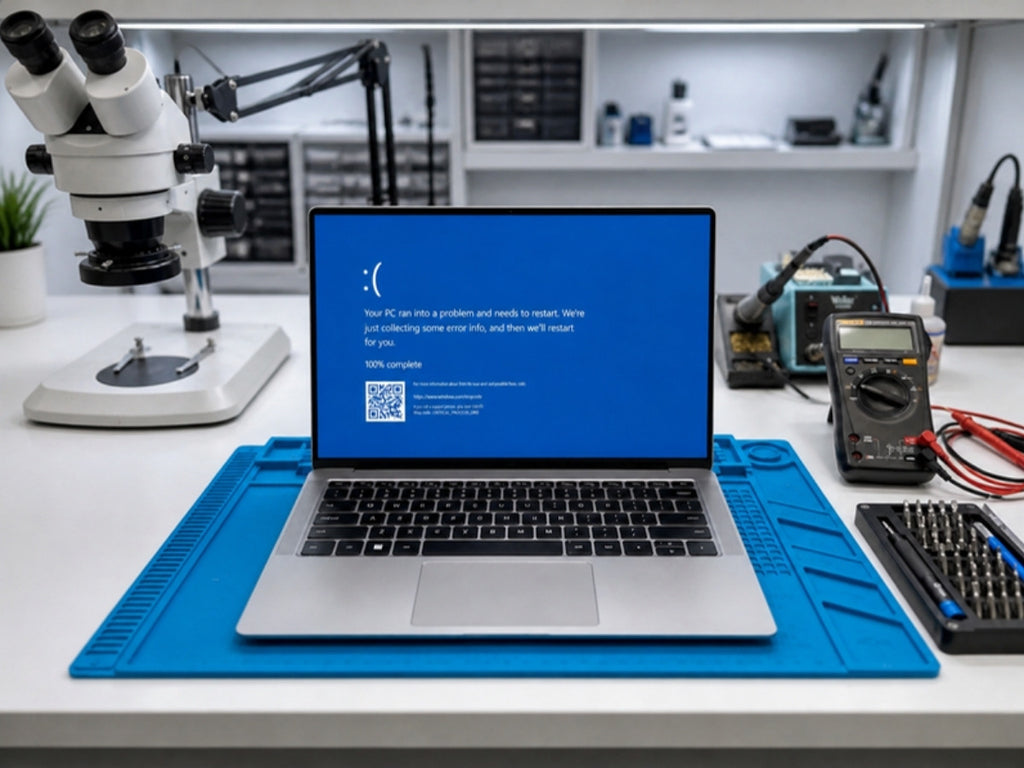
A single blue screen is usually Windows recovering from a one-off problem. Microsoft says a restart often clears it and that you should act when the same stop code keeps coming back. If your laptop or desktop is crashing again and again, this guide helps you work out whether you are dealing with a software problem you can fix, or a hardware fault that needs a technician.
Macrotech Solutions is an independent repair centre in Carrum Downs. We are not affiliated with Apple, Microsoft, Dell or any device manufacturer.
One blue screen versus a pattern
Microsoft's guidance on unexpected restarts and stop code errors explains that the message "Your device ran into a problem and needs to restart" can be caused by hardware, a driver or software. One crash after a power cut or a bad shutdown is rarely a concern. Three crashes in a week, or crashes that arrive when the laptop is hot, busy or being moved, deserve a closer look.
Read the stop code first
The stop code is the line of capital letters near the bottom of the blue screen, such as PAGE_FAULT_IN_NONPAGED_AREA or MEMORY_MANAGEMENT. Take a photo with your phone before it restarts. Microsoft notes that this code helps identify the problem.
A stop code is a clue, not a diagnosis. As a rough guide from our workshop experience:
- MEMORY_MANAGEMENT or PAGE_FAULT_IN_NONPAGED_AREA: often points to memory (RAM) or a driver, but not always.
- INACCESSIBLE_BOOT_DEVICE: Windows could not reach the drive it starts from. Dell lists this code as an example of a storage-related stop code.
- A different code every time: this pattern leans towards hardware, because a software fault tends to repeat the same message.
Safe checks you can do yourself
These steps come from Microsoft's and Dell's support guidance. Work through them in order.
- Remove anything new. Unplug USB devices, docks and anything added just before the crashes began, then restart.
- Start in Safe Mode if Windows will not load. Dell's method is to switch the computer off during startup three times to reach the Windows Recovery Environment, then choose Troubleshoot, Advanced options, Startup Settings, and Safe Mode with Networking.
- Check Device Manager. Look for devices with a warning icon. Update the driver, or roll it back if the crashes began right after an update.
- Keep free space. Microsoft suggests leaving roughly 10 to 15 per cent of the drive free, because Windows needs room for swap files.
- Install pending Windows updates, unless the crashes started straight after one. In that case, see our article on the Windows 11 June 2026 update blue screens.
- Run Windows Memory Diagnostic. Dell's guide recommends it for memory-related stop codes. If it reports errors, stop troubleshooting at home: memory errors point to a hardware fault.
- Check the vents. Dell also lists overheating as a cause. Make sure the vents are clear and the laptop is on a hard surface. If it runs very hot, read our guide to laptops overheating and shutting down.
If Windows still crashes after a clean reinstall, the fault is almost certainly not Windows.
Signs the fault is hardware, not Windows
Memory (RAM)
Memory Diagnostic errors, random stop codes, or crashes that grow worse as you open more programs. Many modern laptops have soldered memory that cannot be swapped, so a memory fault may mean board-level work rather than a new stick. On some desktops, a reseated or replaced module is the fix.
Storage (SSD or hard drive)
INACCESSIBLE_BOOT_DEVICE, very slow start-ups, files that fail to open, or a drive that disappears from the BIOS. Our guide to an SSD not detected in the BIOS explains how to tell a failed drive from a board fault, and our SSD warning signs article covers the early symptoms.
Heat and cooling
Crashes during games, video calls or heavy work, with the fan screaming beforehand. Dust, dried thermal paste and failed fans are common causes. A cleaned and re-pasted cooling system often settles this, but heat can also expose a weak component on the board.
Motherboard and power circuits
Crashes that arrive when the laptop is moved, the charger is plugged in or removed, or a USB or charging port is used. Faults like these can sit in the power circuits, a damaged connector or a failed component on the board. They cannot be tested from inside Windows. If the laptop will not start at all, see laptop won't turn on: no power or short circuit.
If your files matter, protect them first
Dell's guide suggests running chkdsk C: /f /r for storage-related stop codes. That is a reasonable step on a healthy drive. Our own workshop advice is different if the drive already shows warning signs: repair scans read every part of the drive, and a failing drive can deteriorate under that load. If photos, accounts or business files are on it and you have no backup, stop and have the drive checked first. Our data recovery service can assess the drive before anything is repaired or reinstalled.
What we check at our Carrum Downs workshop
We work at component level rather than just swapping parts. For a recurring blue screen that normally means:
- Testing memory and checking the health and response of the drive
- Checking temperatures, the fan and the cooling system
- Measuring the power rails with a multimeter and inspecting the board under a microscope for damage, corrosion or failed components
- Where a failed component is found, discussing whether microsoldering repair is practical
We explain what we find and what it will cost before any repair starts, and we cannot promise a repair outcome until the fault is confirmed. A $50 diagnostic fee applies to hardware-related diagnosis and is credited toward the repair if you proceed.
Blue screen help in Carrum Downs and southeast Melbourne
Macrotech Solutions is at 50 Titan Drive, Carrum Downs, and we help customers from Frankston, Cranbourne, Lyndhurst, Langwarrin, Seaford, Skye and Patterson Lakes. Our laptop repairs and desktop and computer repairs pages list what we cover, and you can book a diagnostic online or call 03 8759 1801. We are open Monday to Friday 10 am to 5 pm and Saturday 10 am to 2 pm.
Macrotech Solutions is an independent repair centre and is not affiliated with Apple, Microsoft, Dell or any other device manufacturer.
Frequently asked questions
Is one blue screen a sign my computer is failing?
Not usually. Microsoft notes that a restart often resolves a one-off. Take action if the same stop code keeps returning or the crashes become frequent.
Can a blue screen be caused by RAM?
Yes. Memory faults are one possible cause, along with drivers, software, storage and overheating. Windows Memory Diagnostic is a sensible first test.
Will I lose my files if I reinstall Windows?
A reinstall can wipe the drive, depending on the option you choose. If the drive is failing or the files matter, back up or have it assessed before reinstalling.
What does INACCESSIBLE_BOOT_DEVICE mean?
Windows could not reach the drive it starts from. That can be a software or driver issue, but also a failing drive or a board-level fault.
Can a blue screen on a laptop be fixed without replacing the whole laptop?
Often, yes, depending on the fault. Drives, memory, fans and some board-level faults can be repaired or replaced. We confirm the fault and quote before any repair.