


Laptop USB Ports Stopped Working? How to Tell a Port Fault From a Board or Power Problem
You plug in a mouse, a USB drive or a keyboard and nothing happens. Maybe one port has stopped working, or all of them. On a Windows laptop this can be a quick software fix, or it can be a damaged port or a fault on the motherboard. Sorting out which one you have first saves time, and saves you from replacing parts that were never the problem.
One port, or all of them?
That is the most useful question to answer first.
Only one port has stopped
A single dead port usually points to that port: a bent contact, debris, or damage from a hard pull on a cable. Ports take a lot of physical stress, and they are soldered to the board, so repeated knocks can crack the joints.
All ports stopped at once
When every port fails together, the cause is more likely shared: a driver or power setting, a USB controller fault, or a board-level power problem. A short circuit on a USB power line can also disable several ports at once.
Try the quick, safe checks first
- Restart fully. Shut the laptop down, unplug the charger and wait a minute. Restart and try again.
- Try a different device and cable. Test a second device that is known to work. A faulty cable or device is more common than a faulty port.
- Check Device Manager. Look for warning marks under the USB controllers. Uninstalling a USB controller entry and restarting makes Windows reinstall it.
- Check power settings. In Windows power options, USB selective suspend can switch ports off to save power. Turning it off is a quick test.
- Look inside the port. With the laptop off, use a torch to look for lint or a bent tongue inside the port. Do not push metal tools into a port.
If your problem is a MacBook, the details differ. See our guide to MacBook USB-C port faults instead.
When it is hardware
A damaged port
A port that is loose, wobbles, or only works when pressed to one side has damaged contacts or cracked solder joints. The port can usually be replaced, but it is soldered to the board, so it is a soldering job that needs care. If the damage has lifted pads from the board, those need rebuilding as well.
A power fault on the board
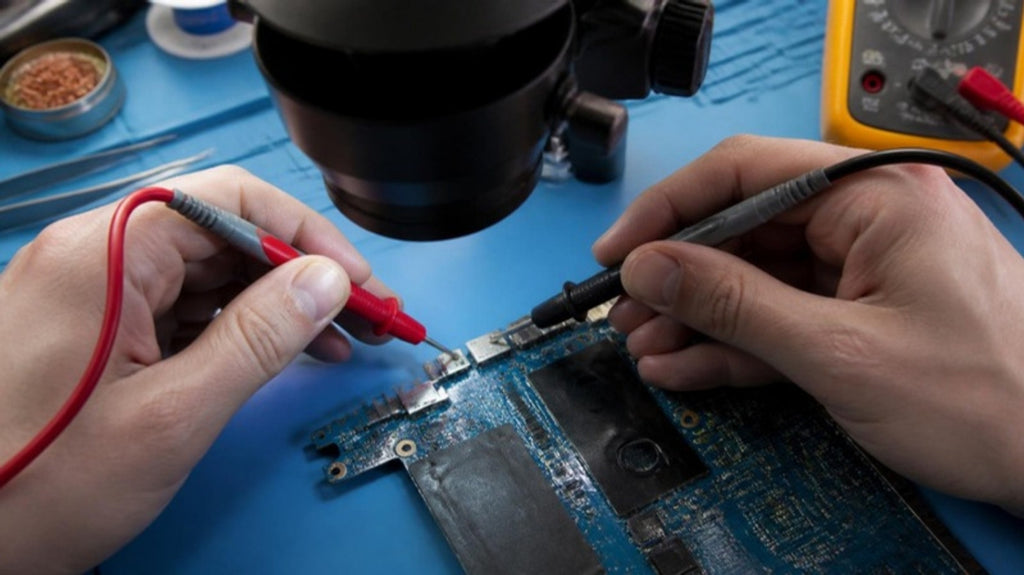
Some USB faults come from the circuit that supplies power to the ports. A failed protection component can switch off the ports for safety, or a short can pull the power line down. These faults are traced by measuring the board with a multimeter and inspecting it under a microscope, then replacing the failed component by microsoldering. That is the same method we describe in how technicians trace a short circuit.
Liquid or heat damage
If the laptop was ever wet or has been very hot, corrosion or burnt components near the ports can cause dead ports. If you suspect liquid, switch the laptop off and avoid charging it until it is checked.
If you need files from a USB drive
A laptop that no longer reads a USB drive does not mean the drive is empty. Do not format the drive if Windows offers to. Try the drive in another computer first. If the files matter, ask us about data recovery.
How we diagnose it at Carrum Downs
We test each port with known-good devices, check the USB controller and power supply to the ports, and inspect the board when the fault is not a driver or setting. You get a clear explanation of the cause and a quote before any repair is started. We help customers across Carrum Downs, Frankston, Cranbourne, Lyndhurst, Langwarrin, Seaford, Skye and Patterson Lakes. See our laptop repairs page for more.
Frequently Asked Questions
Why have my laptop's USB ports stopped working?
Causes include a driver or power-setting problem, a damaged port, or a fault in the board's USB power circuit. Whether one port or all ports failed is a useful clue.
Can a USB port be replaced?
Often, yes. It is soldered to the board, so replacement is a soldering job done under a microscope.
Why do all my USB ports fail at once?
A shared cause is likelier: a controller or driver problem, or a power fault on the board.
Is it safe to keep using the laptop?
If the laptop is hot, smells burnt or has been wet, stop using it and have it checked. Otherwise a dead port is usually not dangerous.
Will I lose the files on my USB drive?
Not necessarily. Do not format the drive, try another computer, and ask for help if the files matter.
USB ports not working? Find out whether it is a setting, a port or the board before you spend money.
Book a DiagnosticMacrotech Solutions is an independent repair centre and is not affiliated with Microsoft, Apple or any device manufacturer. Brand names are trademarks of their owners.