

Dell Laptop Shutting Down or Overheating After the Latest Windows Update? Here's What's Happening
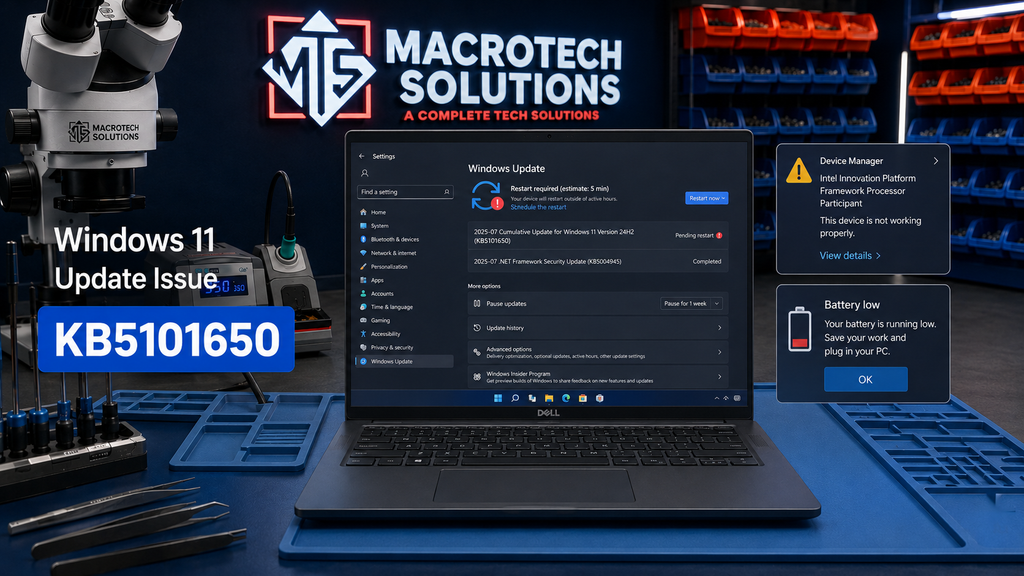
If your Dell laptop has started switching itself off without warning, running hotter than usual, or burning through its battery much faster than normal in the last day or two, you're not imagining it. Microsoft has confirmed that a Windows update released this week is causing exactly these symptoms on some Dell machines, and has already blocked it from affected devices while a fix is worked out.
Here's what's actually happening, how to tell if it applies to your laptop, and what to do about it.
Update — 20 July 2026: Microsoft has now released a fix for this issue. Jump to "Has Microsoft Fixed It Yet?" below for what to install and what to check.
What's Actually Going On — KB5101650, Explained Plainly
The update at the centre of it
On 14 July 2026, Microsoft released KB5101650, a mandatory security update for Windows 11 (versions 24H2 and 25H2) as part of its regular Patch Tuesday cycle. Within a day, Microsoft had confirmed reports that some Dell PCs were experiencing unexpected shutdowns, poor performance, increased heat, and faster battery drain after installing it.
Why this is hitting Dell laptops specifically
According to Microsoft's own support documentation, the root cause traces back to an earlier optional update (KB5095093, released 23 June 2026) that introduced a new Windows USB-C Connection Manager interface. On a limited number of Dell devices, this doesn't play well with a specific Intel driver — the "Intel Innovation Platform Framework Processor Participant" driver — which can start misbehaving and show a yellow warning icon in Device Manager. That driver conflict is understood to be what triggers the shutdowns, heat and battery drain once KB5101650 installs on top of it.
Worth noting: this is a confirmed, Microsoft-acknowledged issue — not a rumour or forum theory. Microsoft has been clear it affects "a limited number" of Dell devices, not all Dell laptops or all Windows 11 PCs.
Symptoms to Watch For
- The laptop switches off suddenly, with no warning and no shutdown screen
- It feels noticeably hotter than usual under normal use (browsing, documents, video calls)
- The fan runs louder or more constantly than before
- Battery percentage drops much faster than your normal usage pattern
- Device Manager shows a yellow warning triangle next to an Intel driver (right-click Start → Device Manager → look under "System devices" or "Software components")
Is It the Update, or Something Else? A Quick Check
| What you're seeing | Update-related | Hardware-related |
|---|---|---|
| Started in the last 1–2 days, right after Windows updated | ✓ | |
| Yellow warning icon on an Intel driver in Device Manager | ✓ | |
| Has been happening for weeks or months already | ✓ | |
| Laptop is several years old and fans have always run loud | ✓ | |
| Battery was already unreliable before this update | ✓ | |
| Burning smell, visible swelling, or heat even when idle | ✓ — stop use immediately |
Has Microsoft Fixed It Yet? — Update, 20 July 2026
Yes. On 19 July 2026, Microsoft released an out-of-band emergency update, KB5121767, that specifically resolves this issue. It brings affected Windows 11 24H2 devices to build 26100.8894 and 25H2 devices to build 26200.8894, restoring the July security fixes that had been held back on affected Dell machines along with the shutdown/overheating fix itself.
Microsoft's guidance is specific: only devices it has identified as affected — those showing the Intel driver conflict described above — need to install KB5121767 manually via Windows Update. If your device was never offered KB5101650 in the first place, or isn't showing the symptoms described in this article, you don't need to seek this update out.
If you've installed the fix but it's still overheating or shutting down: that's no longer a software issue — it points to something physical, like dust-clogged fans, degraded thermal paste, or a battery or power-delivery fault. That's worth a proper diagnostic rather than continuing to wait on another update.
What to Do Right Now
If your laptop is already showing these symptoms
- Open Settings → Windows Update and check for KB5121767 — install it if offered.
- Check Device Manager for a yellow warning icon on the Intel Innovation Platform Framework Processor Participant driver, to confirm this is the fault you're dealing with.
- Once installed, monitor the laptop over normal use for a day — shutdowns and overheating should stop.
- If problems continue after installing KB5121767, that points to a separate hardware issue and is worth a proper diagnostic rather than continuing to wait on another update.
If the update hasn't installed on your machine yet
Microsoft's safeguard hold on affected devices has now been lifted by KB5121767. If Windows Update still isn't offering it and you're not seeing any symptoms, there's nothing you need to do — unaffected devices don't need this update.
When It Isn't the Update — Other Causes of Overheating and Random Shutdowns
Because this issue got so much attention, it's tempting to blame every warm or unstable laptop on KB5101650. In our workshop, a good number of overheating and shutdown complaints have nothing to do with any Windows update:
Dust-clogged fans and dried-out thermal paste: after a few years, dust builds up in the heatsink and fan assembly, and the thermal paste between the CPU and heatsink degrades. Both cause temperatures to climb well beyond what the laptop was designed for, and eventually trigger thermal shutdown as a protective measure.
Battery degradation: an aging or swelling battery can cause a laptop to shut down under load even when the charge indicator says there's plenty left, because a degraded cell can't supply current reliably.
Power-delivery and motherboard faults: charging port damage, a failing voltage regulator, or a developing logic-board fault can all produce shutdowns that look identical to a software issue from the outside, but need board-level diagnosis to actually fix.
The only reliable way to tell the difference is a proper diagnostic — checking driver status and update history alongside physical thermal and power testing.
How Macrotech Diagnoses Shutdown and Overheating Faults
At our Carrum Downs workshop we run full diagnostics on laptops presenting with shutdown, overheating or battery-drain symptoms — checking driver and update status first, then internal temperatures, fan operation, battery health and power-delivery components, so you get a straight answer on whether it's software, a driver conflict, or a hardware fault that needs repair.
Local Relevance — Carrum Downs & Southeast Melbourne
Dell is one of the most common laptop brands we see come through the workshop from Carrum Downs, Frankston, Cranbourne, Lyndhurst, Langwarrin, Seaford, Skye and Patterson Lakes households and small businesses. If your Dell laptop has been acting up, it's worth installing the KB5121767 fix and ruling this update issue in or out before assuming the worst — and if it does turn out to be hardware, our diagnostics team can tell you exactly what's wrong before any repair goes ahead.
Still overheating or shutting down after installing the fix?
Book a diagnostic with Macrotech and we'll tell you straight whether it's leftover update trouble or something in the hardware — before any repair goes ahead.
Book a DiagnosticFAQs
Is this a Microsoft problem or a Dell problem?
Has Microsoft released a fix?
My laptop isn't a Dell — could this still be affecting me?
How do I know if my Dell model is affected?
What if it turns out to be a hardware fault?
Macrotech Solutions is an independent computer repair centre and is not affiliated with, endorsed by, or sponsored by Dell, Microsoft or Intel. Brand names are used for identification purposes only. Details of KB5101650, KB5121767 and their effects are drawn from Microsoft's own support documentation and reputable technology press reporting (see sources in the daily research report).